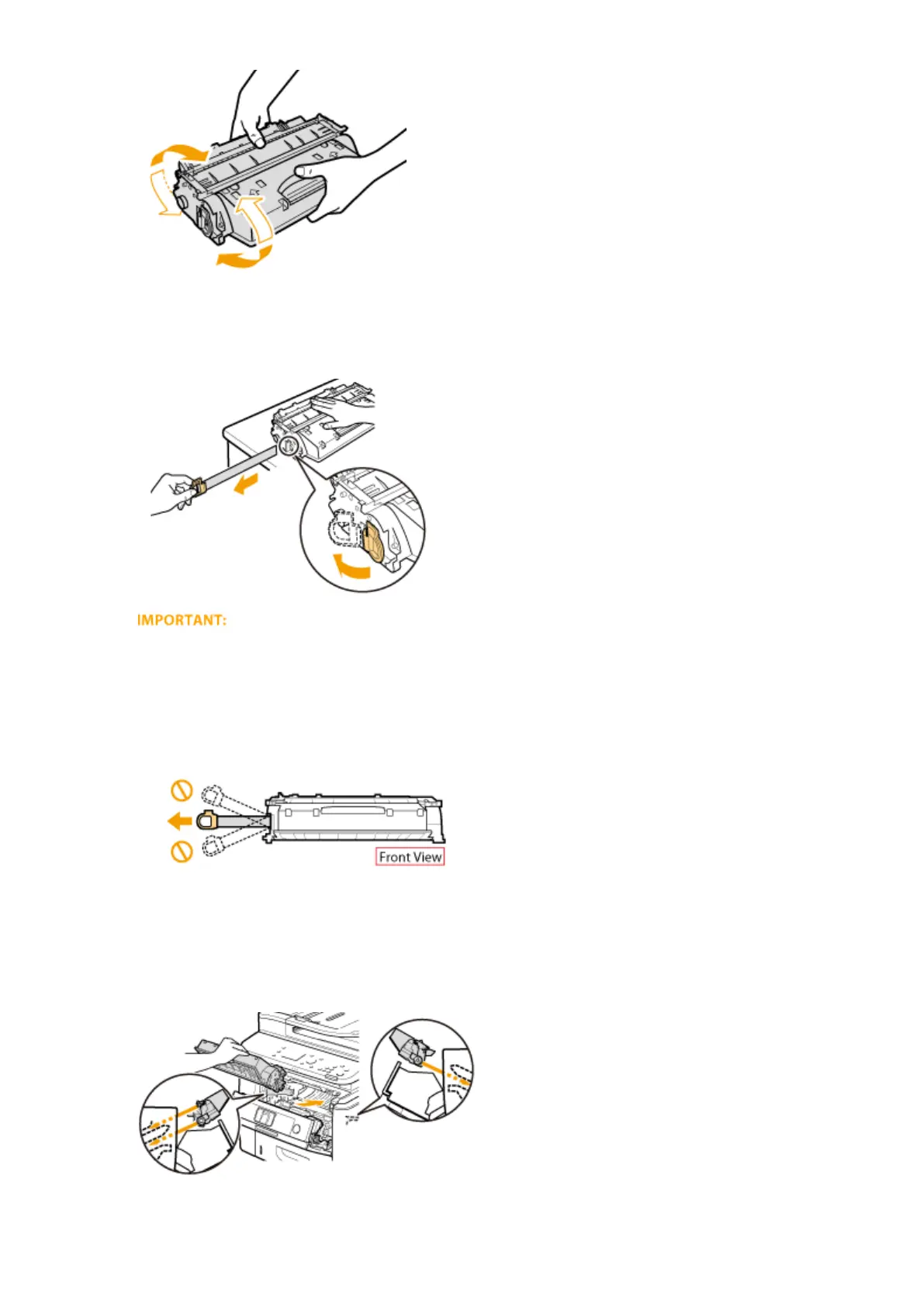
5
Pull the sealing tape straight out.
● The full length of the sealing tape is approximately 50 cm.
When pulling out the sealing tape
If the sealing tape remains inside the toner cartridge, the quality of printouts, including faxes, may
deteriorate. Also note that it will not be possible to reprint a fax because the fax function automatically
deletes data once it is printed.
● Do not pull out the sealing tape at an angle or sideways. If the tape breaks, you may not be able to pull it
out completely.
● If the sealing tape becomes stuck when pulling it out, keep pulling until it is completely removed.
6
Install the toner cartridge.
● Fully push it in until it cannot go any further.
Maintenance
799











 To Next Page