Limiting the Paper Sizes Displayed
0UWX-016
You can ensure that only frequently used paper sizes are shown in the screen for selecting the paper size setting.
1
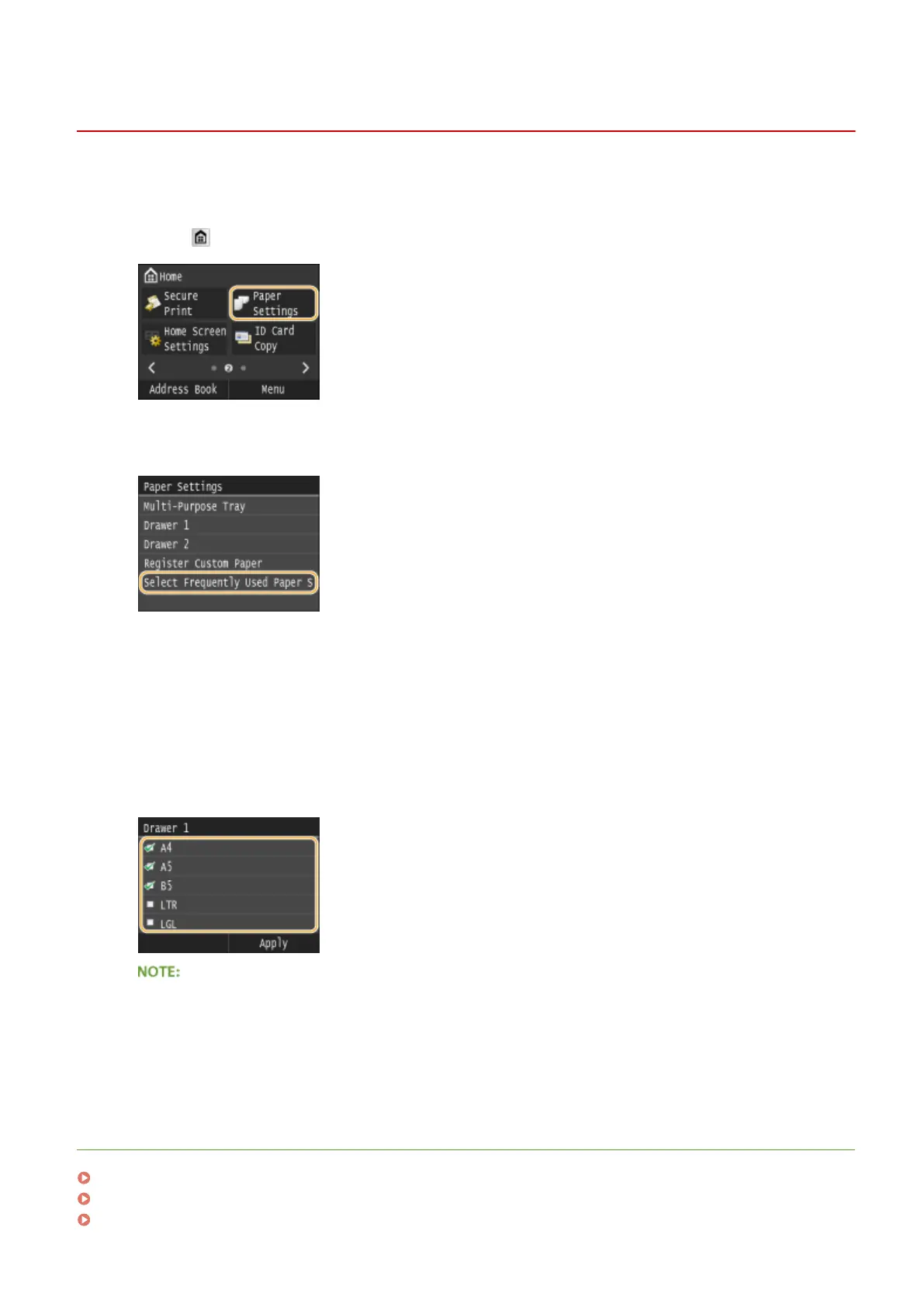
Press and tap <Paper Settings>.
2
Tap <Select Frequently Used Paper Sizes>.
3
Tap <Multi-Purpose Tray>, <Drawer 1>, or <Drawer 2>.
● <Drawer 2> is displayed only when the optional paper feeder (drawer 2) is installed.
4
Clear the check boxes for paper sizes you do not want displayed.
● Ensure that only the check boxes for frequently used paper sizes are selected.
● Paper sizes that are not selected can be viewed by tapping <Other Sizes> in the paper size setting selection
screen.
5
Tap <Apply>.
LINKS
Specifying Paper Size and Type in the Paper Drawer(P. 68)
Specifying Paper Size and Type in the Multi-Purpose Tray(P. 70)
Registering Default Paper Settings for the Multi-Purpose Tray(P. 72)
Basic Operations
77











 To Next Page