RX Result Report
0UWX-0E6
You can check the logs of received fax or I-Fax documents by printing an RX Result Report. The report can be printed
either every time a transmission is completed or only when a receiving error occurs.
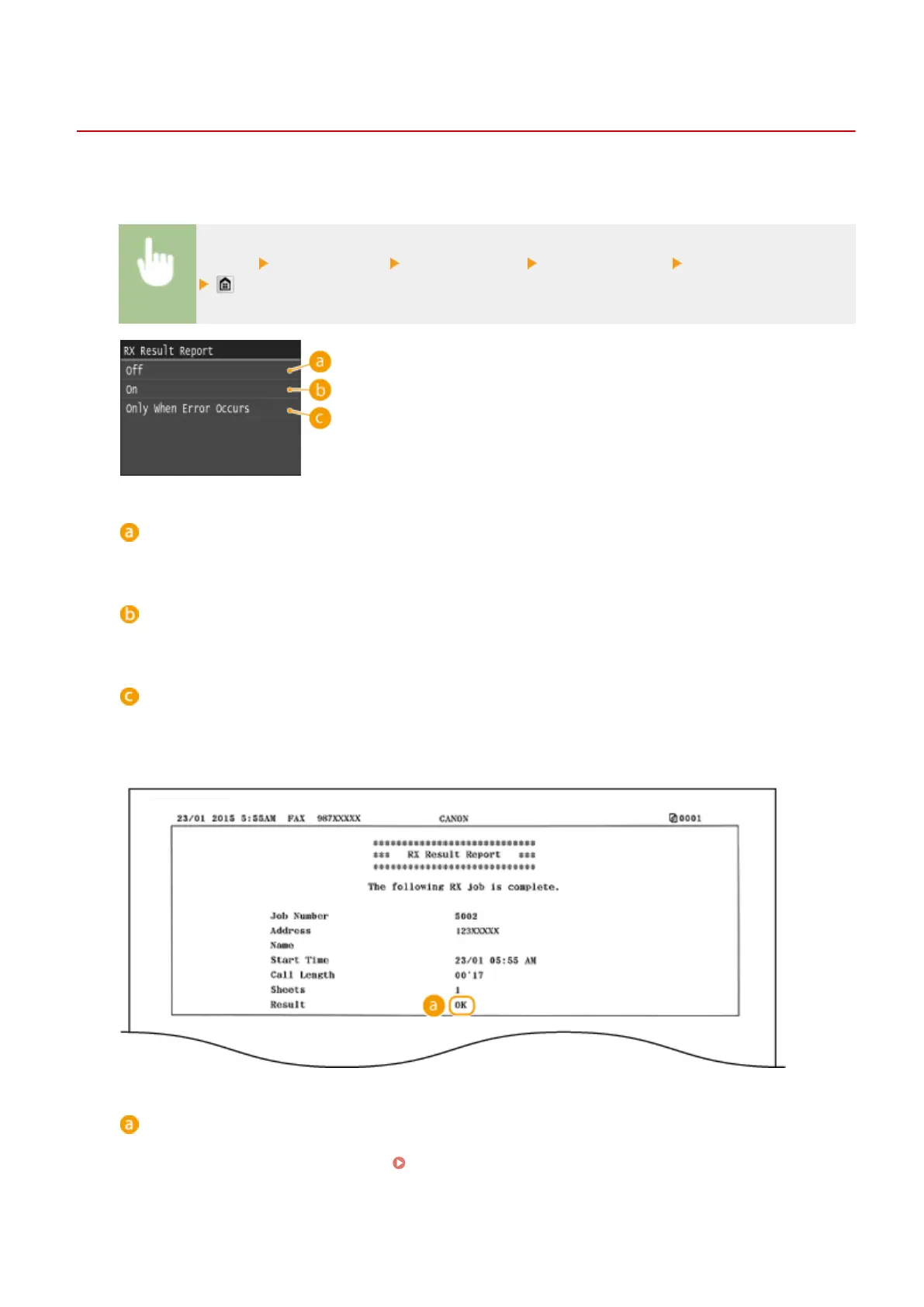
<Menu> <Output Report> <Report Settings> <RX Result Report> Select the print setting
<Off>
Select if you do not want to print RX Result Reports.
<On>
Select to print an RX Result Report every time you receive a document.
<Only When Error Occurs>
Select to print an RX Result Report only when a receiving error occurs.
Example:
Result
"OK" indicates that the transmission was completed successfully while "NG" and three digits (an error code)
indicates that the transmission failed ( When an Error Code Appears(P. 747) ).
Maintenance
814











 To Next Page