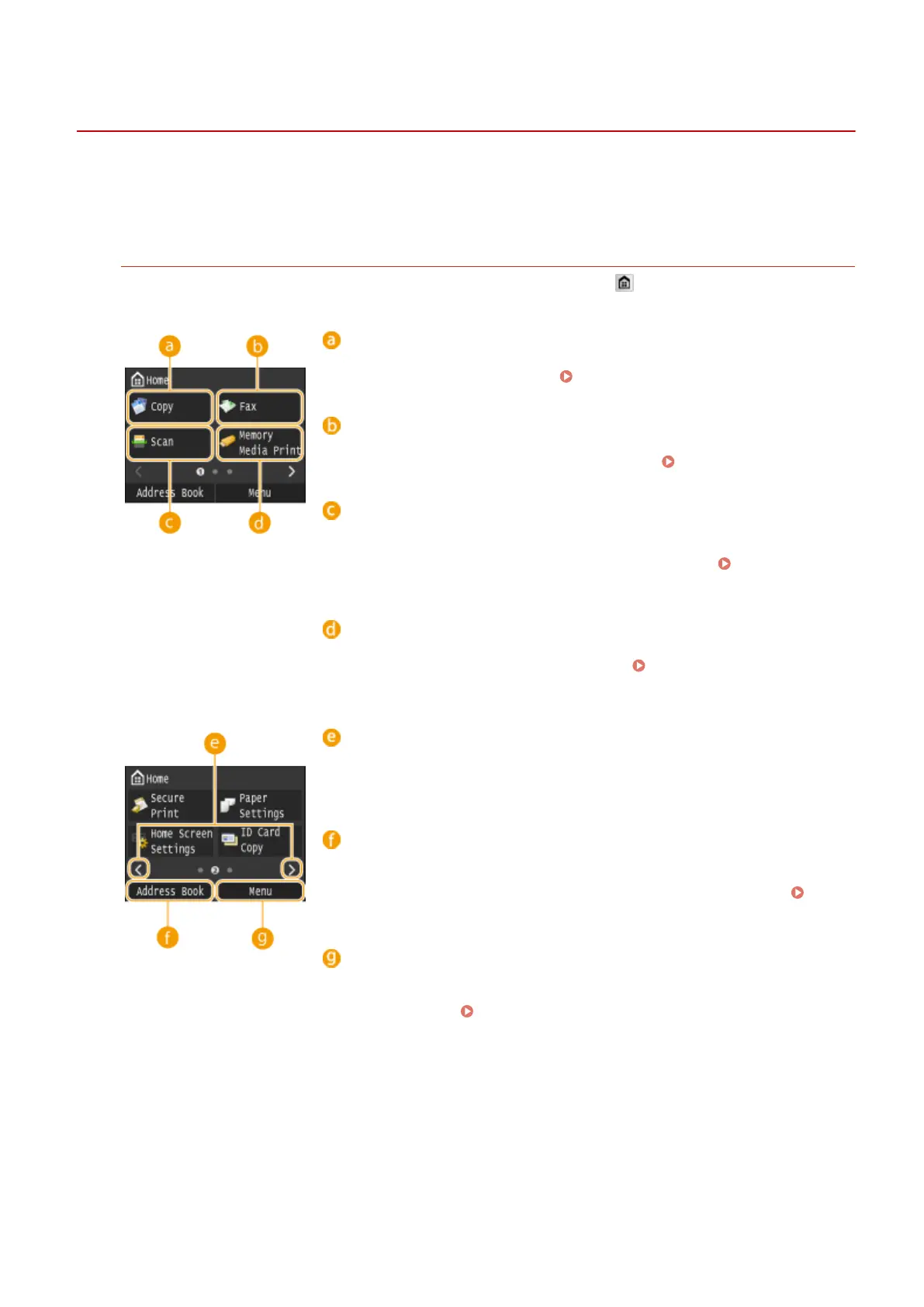
Display
0UWX-00H
The Home screen or settings screen appears on the display, allowing you to initiate functions such as copying or
scanning. You can also use the display to check information such as error messages and the machine's operation
status. The screen is also a touch panel, so you can perform operations by touching the screen directly.
Home Screen
The Home screen is displayed when the power is turned ON or by pressing on the operation panel. Use this
screen to specify settings for and register functions.
<Copy>
Use this button to start copying. Copying(P. 105)
<Fax> (MF419x / MF416dw)
Use this button to send a fax from the machine. Faxing(P. 137)
<Scan>
Scans a document and converts it into an electronic le. You can save
scanned les on your computer or send them via e-mail.
Using the
Machine as a Scanner(P. 304)
<Memory Media Print>
Prints les stored in a USB memory media.
Printing from USB Memory
(Memory Media Print)(P. 289)
Change page button
Use this to view another page in the Home screen. This works in the same
way as icking left/right.
<Address Book>
Use this to register or edit the destinations for e-mails and faxes. You can
also display a registered destination when sending an e-mail or fax.
Registering in the Address Book(P. 78)
<Menu>
<Timer Settings>, <Preferences>, and many other machine settings start
from this button. Setting Menu List(P. 629)
Basic Operations
29











 To Next Page