Registering Frequently Used Fax Settings
0UWX-033
You can register up to 18 frequently used combinations of fax settings. You can quickly display registered settings
when needed, eliminating the need to make involved settings every time, such as "making a scan of a two-sided
original, sending it to 5 destinations, and setting the sharpness." You can also display settings as shortcut buttons in
the Home screen.
Registering Favorite Settings(P. 174)
Recalling Favorite Settings(P. 176)
Registering Favorite Settings
1
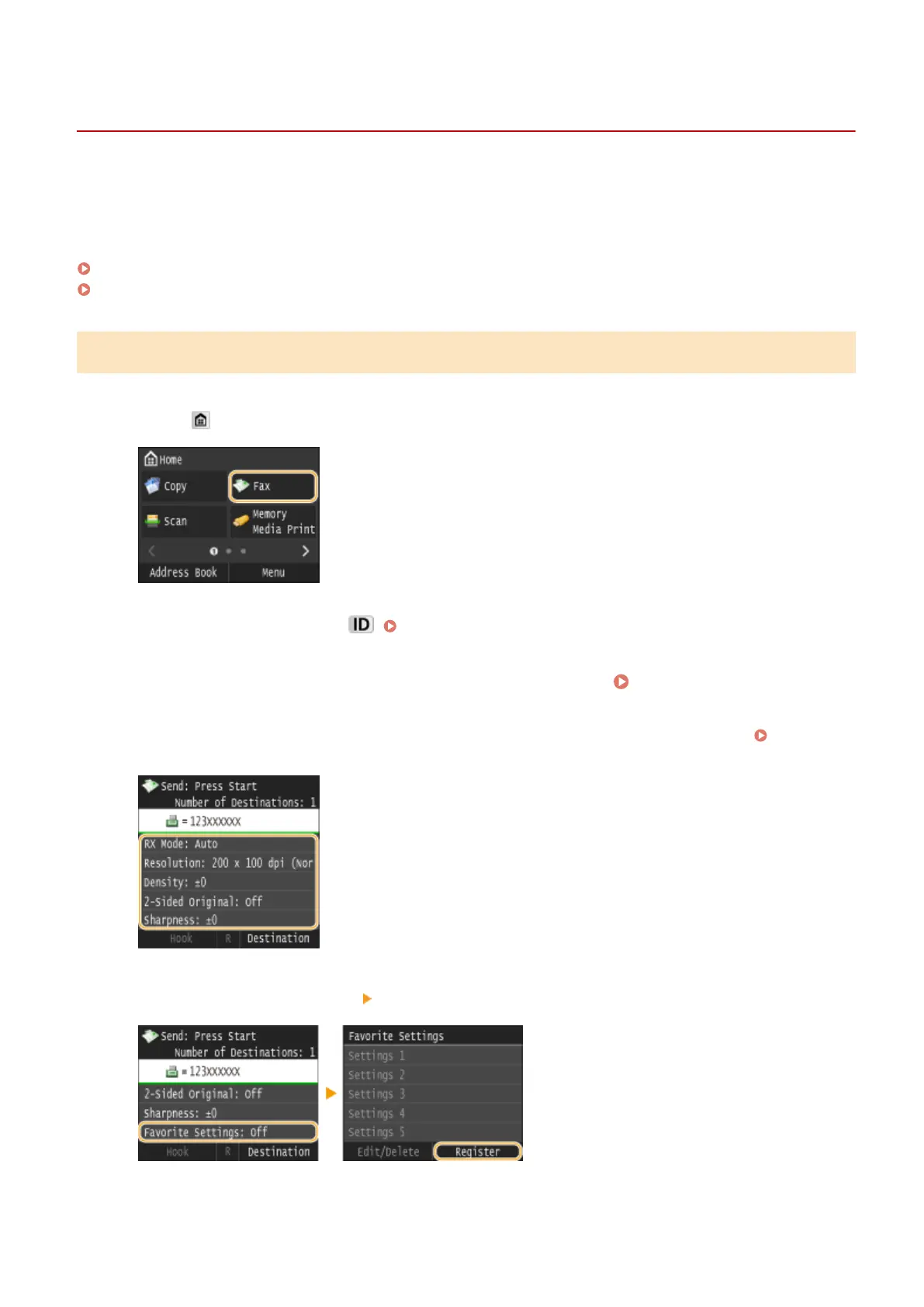
Press and tap <Fax>.
● When the logon screen appears, use the numeric keys to enter the user name and password. Then select the
authentication server and press . Logging on to Authorized Send(P. 45)
2
Change the values for the settings you want to register. Various Fax
Settings(P. 166)
● To also include the destination in a favorite fax setting, enter the destination to be registered. Sending
Faxes (MF419x / MF416dw)(P. 149)
3
Select <Favorite Settings> <Register>.
4
Check the message and tap <OK>.
Faxing
174











 To Next Page