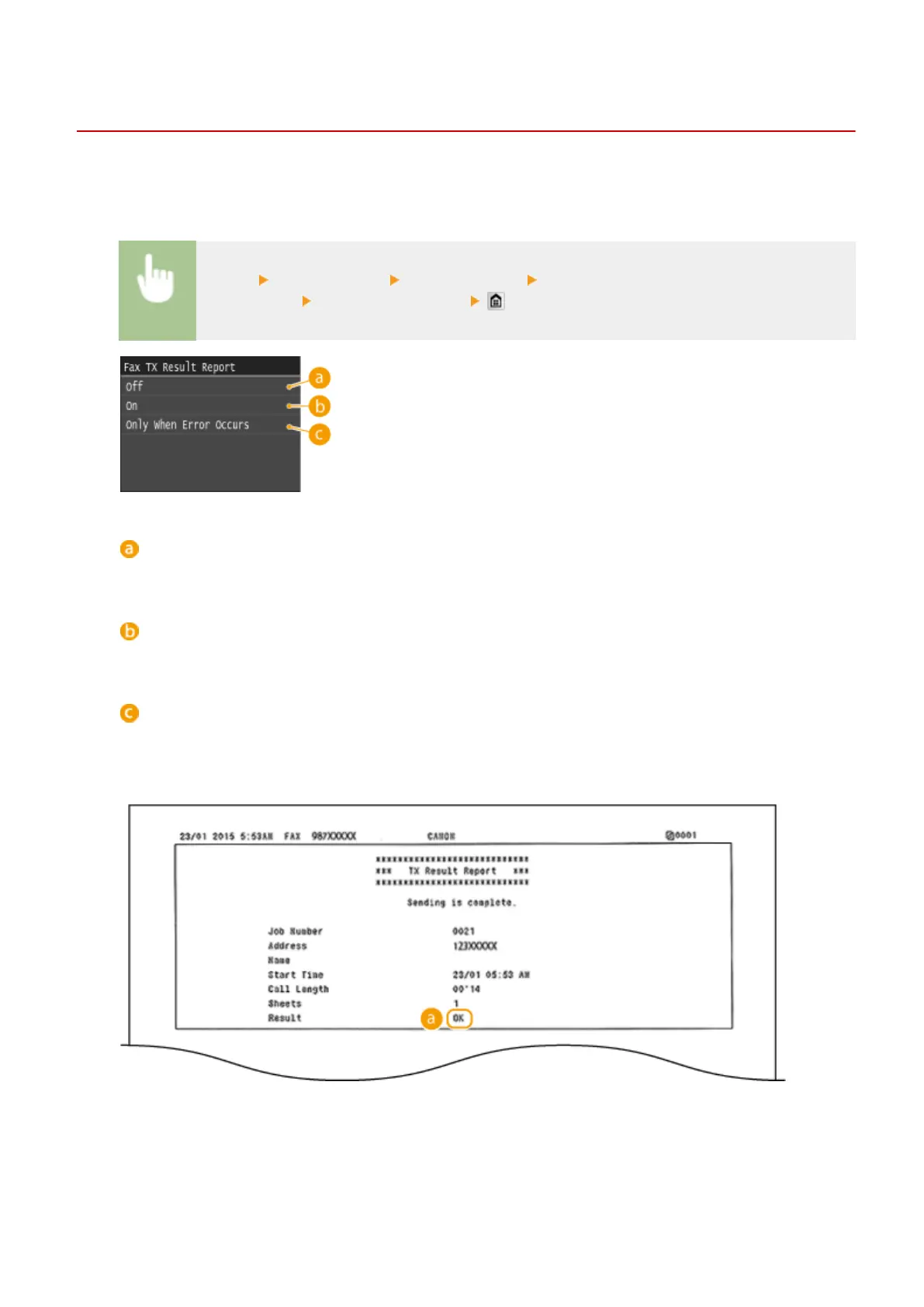
TX Result Report
0UWX-0E4
You can check the fax or e-mail/I-Fax logs of sent documents as well as documents scanned to a shared folder or FTP
server by printing a TX Result Report. The report can be printed either every time a transmission is completed or only
when a sending error occurs.
<Menu> <Output Report> <Report Settings> <Fax TX Result Report> or <E-Mail/I-Fax/File TX
Result Report>
Select the print setting
<Off>
Select if you do not want to print TX Result Reports.
<On>
Select to print a TX Result Report every time you send a document.
<Only When Error Occurs>
Select to print a TX Result Report only when a sending error occurs.
Example: Fax sending (MF419x / MF416dw)
Example: Scanning to e-mail/I-Fax/shared folder/FTP Server
Maintenance
809











 To Next Page