Printing a Document
0UWX-044
This section describes how to print a document on your computer by using the printer driver.
Paper settings on the machine
● Normally, it is necessary to specify the paper size and type for the paper loaded in each paper source before
proceeding to printing. Specifying Paper Size and Type(P. 67)
● By setting <Prioritize Driver Settings When Printing> to <On>, you can print from the paper source specied
in the printer driver, regardless of the paper settings on the machine. Prioritize Driver Settings When
Printing(P. 678)
1
Open a document in an application and display the print dialog box.
● How to display the print dialog box differs for each application. For more information, see the instruction
manual for the application you are using.
2
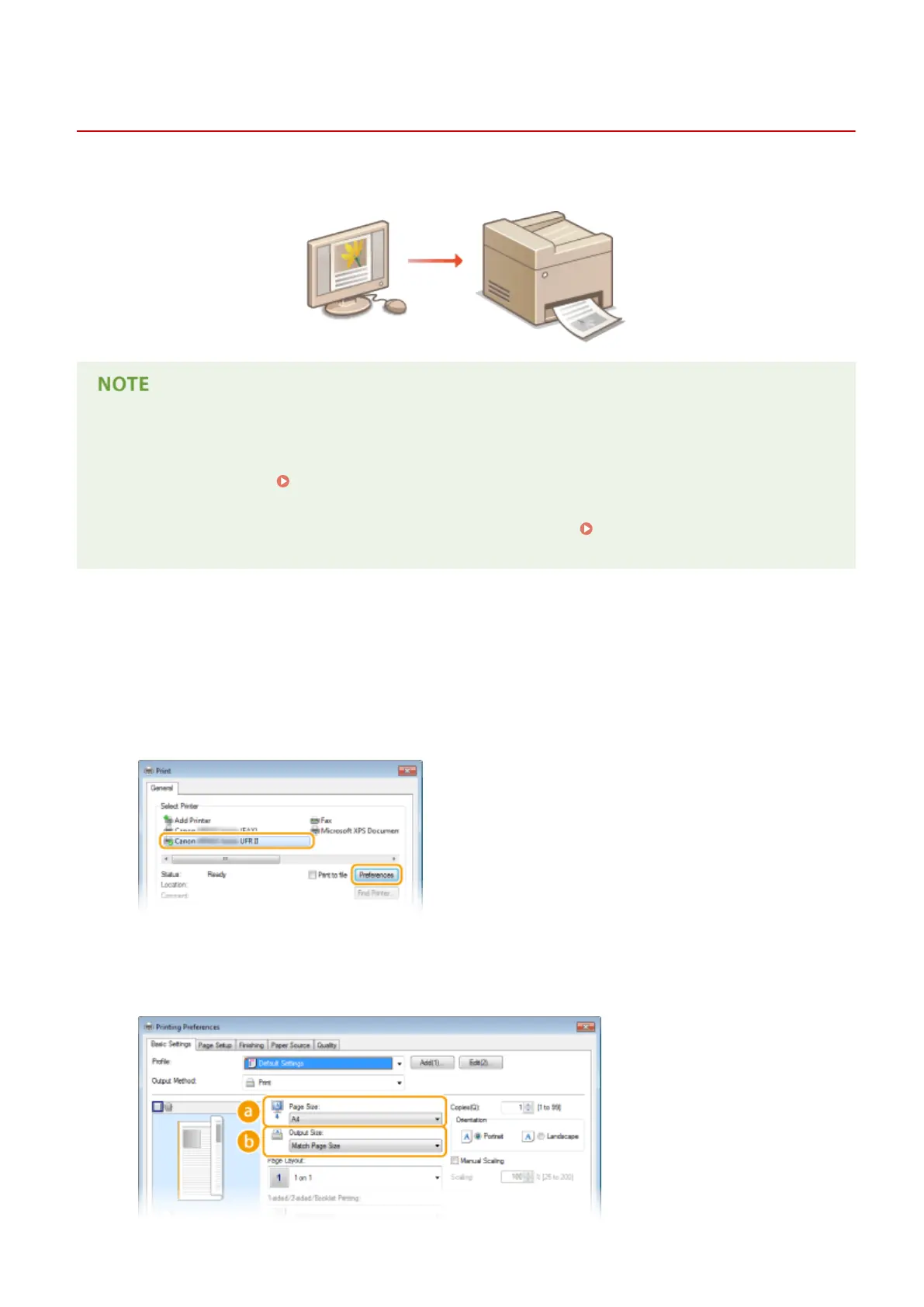
Select the printer driver for this machine, and click [Preferences] or [Properties].
● The screen that is displayed differs depending on the application you are using.
3
Specify the paper size.
Using the Machine as a Printer
237











 To Next Page