[Page Size]
Select the size of a document made in the application.
[Output Size]
Select the size of paper on which the document will be actually printed. If the selected size differs from the
one specied in [Page Size], the document is printed enlarged/reduced automatically according to the
selected size. Enlarging or Reducing(P. 248)
Clickable UI
● You can easily specify the page layout, binding position, etc. intuitively on the preview image. For more
information, click [Help] on the printer driver screen.
4
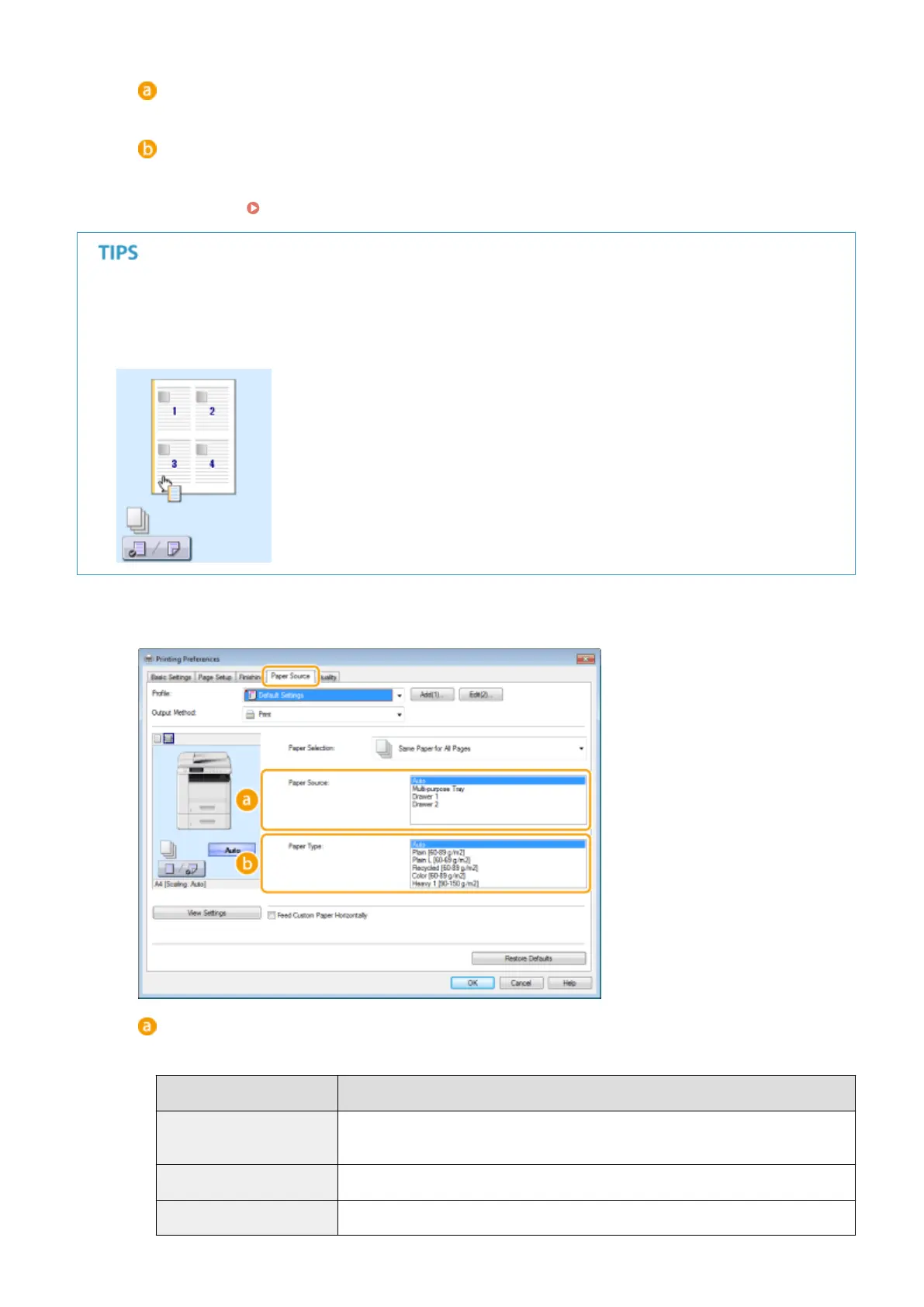
Click the [Paper Source] tab, and specify the paper source and paper type.
[Paper Source]
Select the paper source from which paper is fed.
Setting Value
Paper Source
Auto
The paper source is automatically selected according to the specied size and type of
the paper to print on and the settings congured in the machine.
Multi-purpose Tray Paper is fed from the multi-purpose tray.
Drawer 1 Paper is fed from the paper drawer of the machine.
Using the Machine as a Printer
238











 To Next Page