Attaching Cover Sheets to PC Faxes
0UWX-03R
You can attach a cover sheet to the document you are sending. Select a cover sheet from three preset cover sheets in
the fax driver, or create your own custom cover sheets. For more information, click [Help] on the fax driver screen.
1
Open a document in an application and display the print dialog box.
● How to display the print dialog box differs for each application. For more information, see the instruction
manual for the application you are using.
2
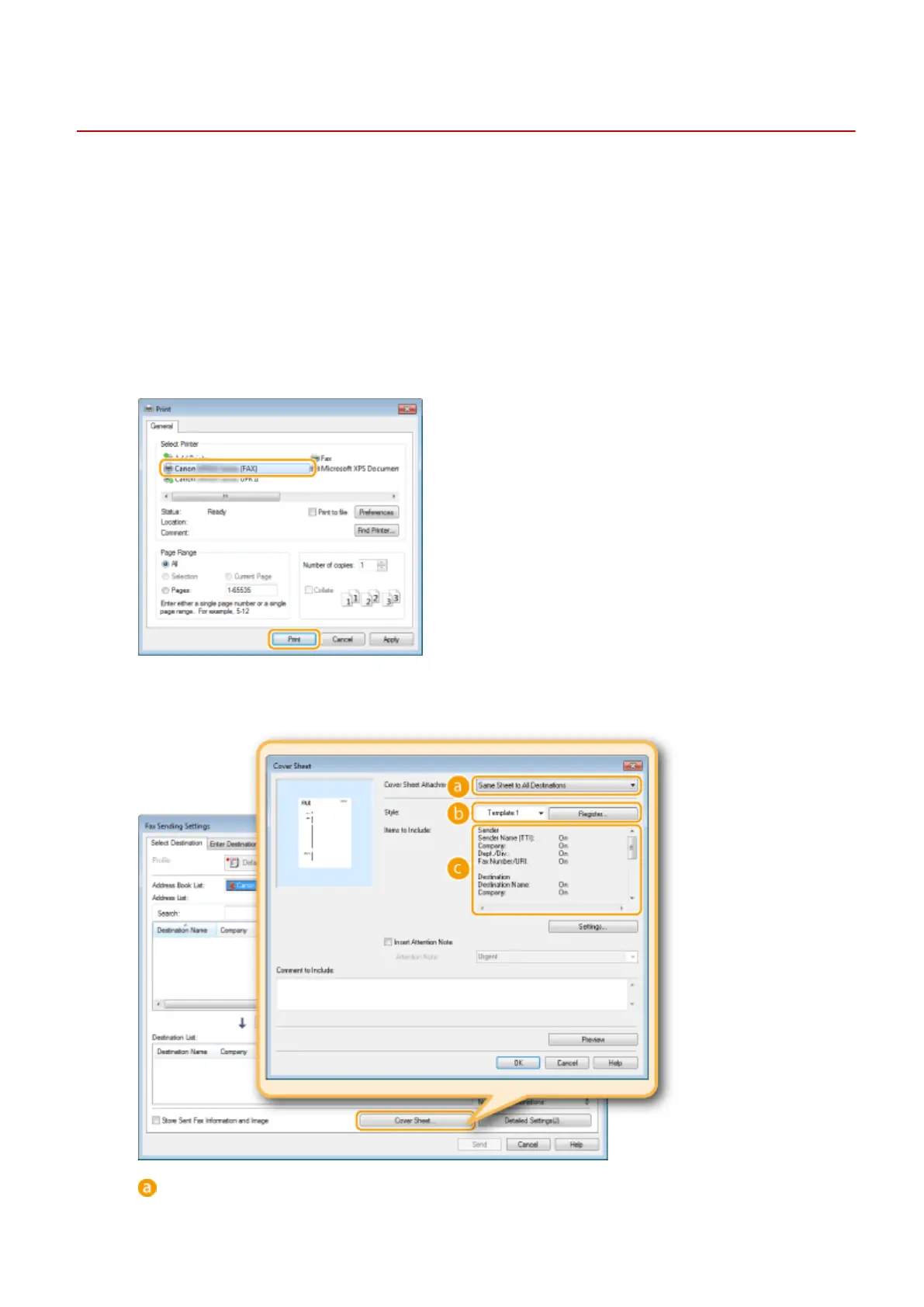
Select the fax driver for this machine, and click [Print].
3
Click the [Cover Sheet] and specify each setting.
[Cover Sheet Attachment]
Select [Different Sheet to Each Destination] or [Same Sheet to All Destinations].
Faxing
207











 To Next Page