Canceling Sending Documents (Fax/I-Fax)
0UWX-034
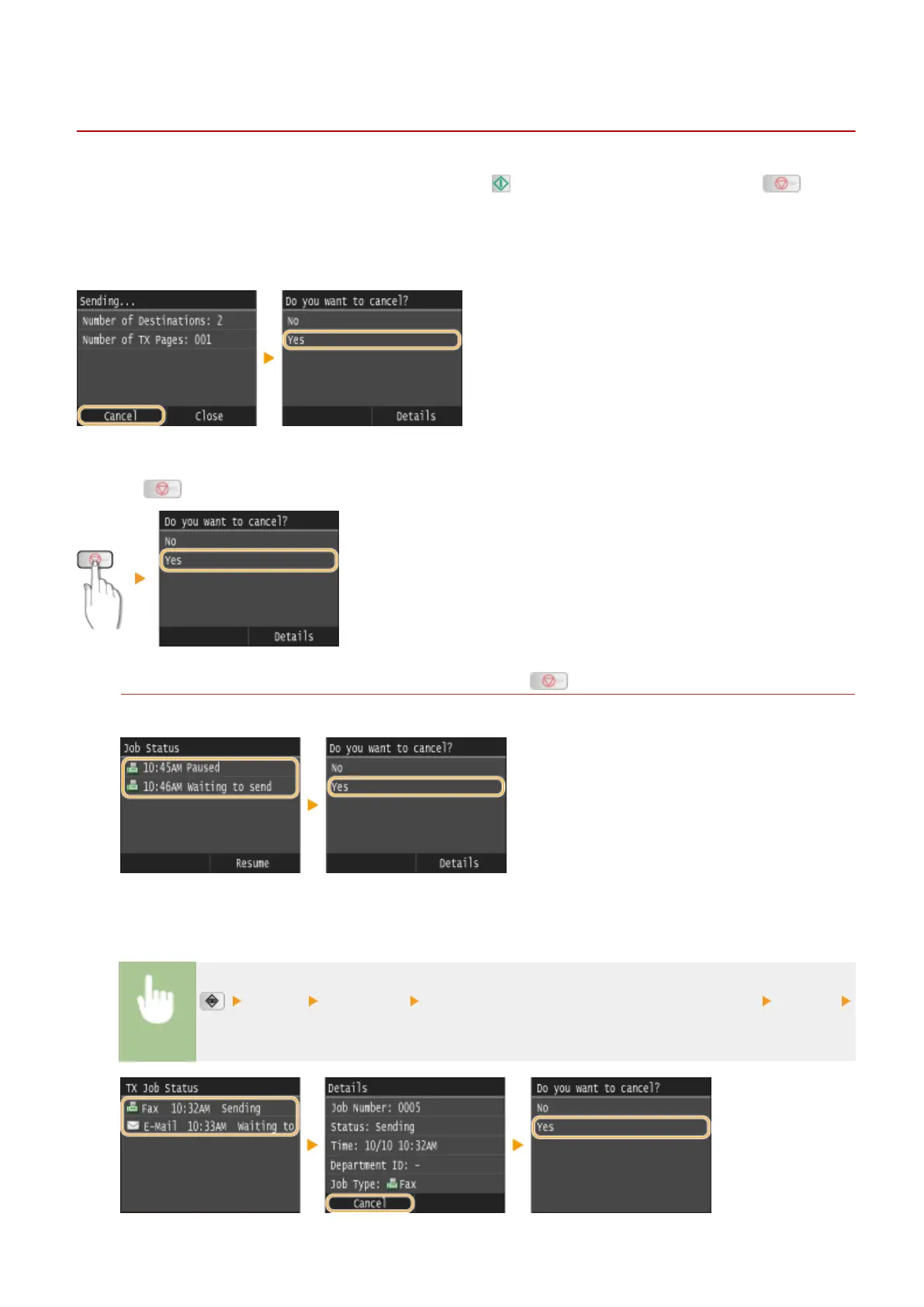
If you want to cancel sending faxes immediately after pressing , tap <Cancel> on the display or press on the
operation panel. You can also cancel sending faxes after checking the fax status.
◼ Tap <Cancel> on the Screen during Fax Transmission
◼
Press to Cancel
If the Screen Displays a List of Documents When Is Pressed
Documents have been scanned and are waiting to be processed. Select the document to cancel.
◼ Check the Transmission Status before Canceling
<TX Job> <Job Status> Select the document on the <TX Job Status> screen <Cancel>
<Yes>
Faxing
177











 To Next Page