Registering Multiple Destinations for Group Dial
0UWX-01A
Multiple destinations can be combined into groups. You can register up to 299 destinations (100 destinations for e-
mails) for a group. After a group is registered, you can edit or delete it.
● Only destinations of the same type of address can be registered in the same group.
● Shared folders or FTP servers cannot be registered in a group as destinations.
1
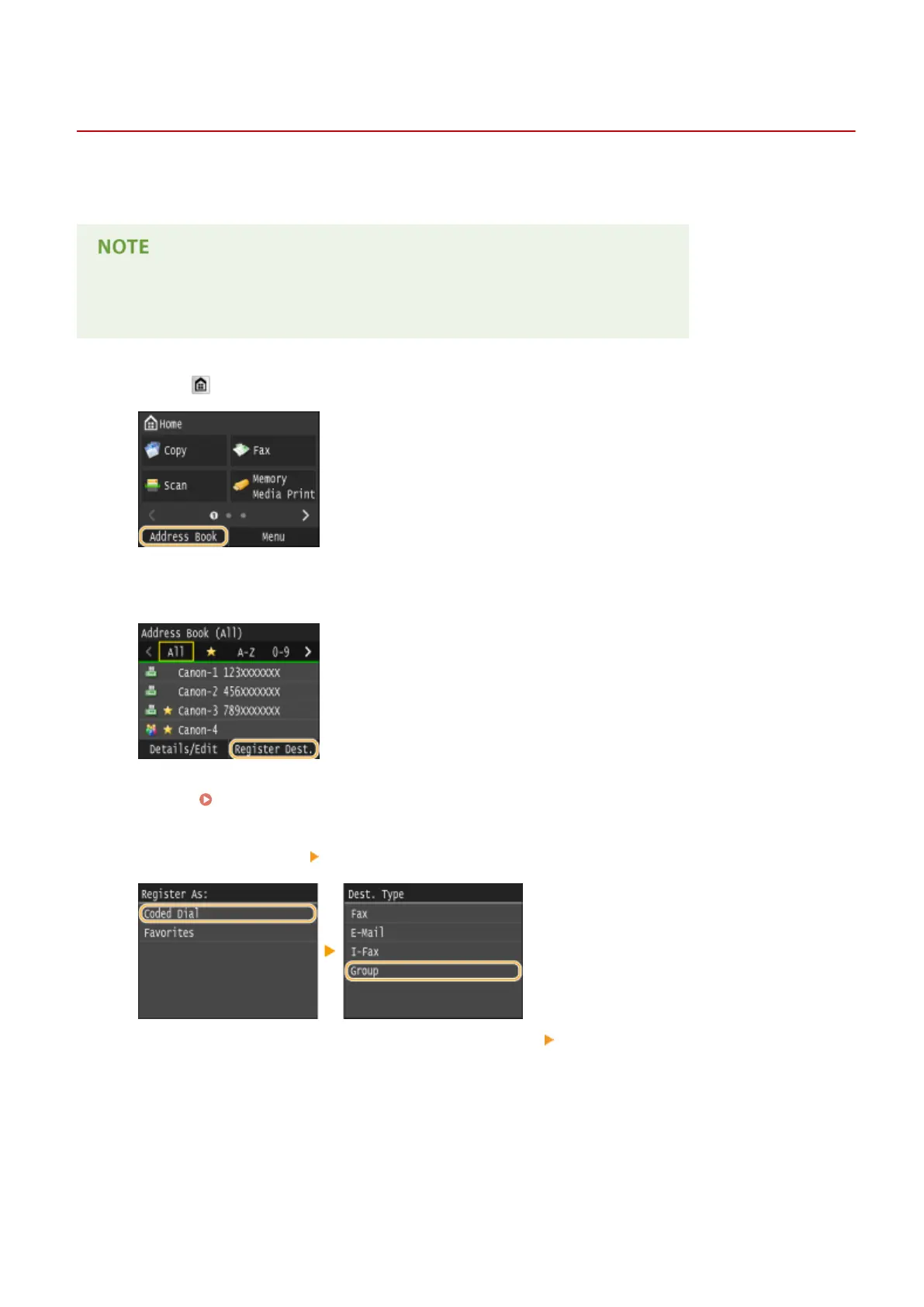
Press and tap <Address Book>.
2
Tap <Register Dest.>.
● If a screen appears prompting you to enter a PIN, enter the correct PIN using the numeric keys, and tap
<Apply>. Setting a PIN for Address Book(P. 556)
3
Select <Coded Dial> <Group>.
● Groups can also be registered in Favorites. Select <Favorites> <Group> to register the group as Favorites.
4
Tap <Name>.
● Registering <Name> is optional. If you register <Name>, the destination can be searched alphabetically.
Basic Operations
94











 To Next Page