Registering Frequently Used Copy Settings
0UWX-027
You can register up to four frequently used combinations of copy settings. By simply selecting a registered setting
combination when it is needed, you can eliminate the need to congure the same settings every time you make
copies, such as if you frequently set the number of copies to 5, set <Erase Frame> to <On>, and increase the sharpness
when copying. You can also display settings as shortcut buttons in the Home screen.
Registering Favorite Settings(P. 132)
Recalling Favorite Settings(P. 133)
Registering Favorite Settings
1
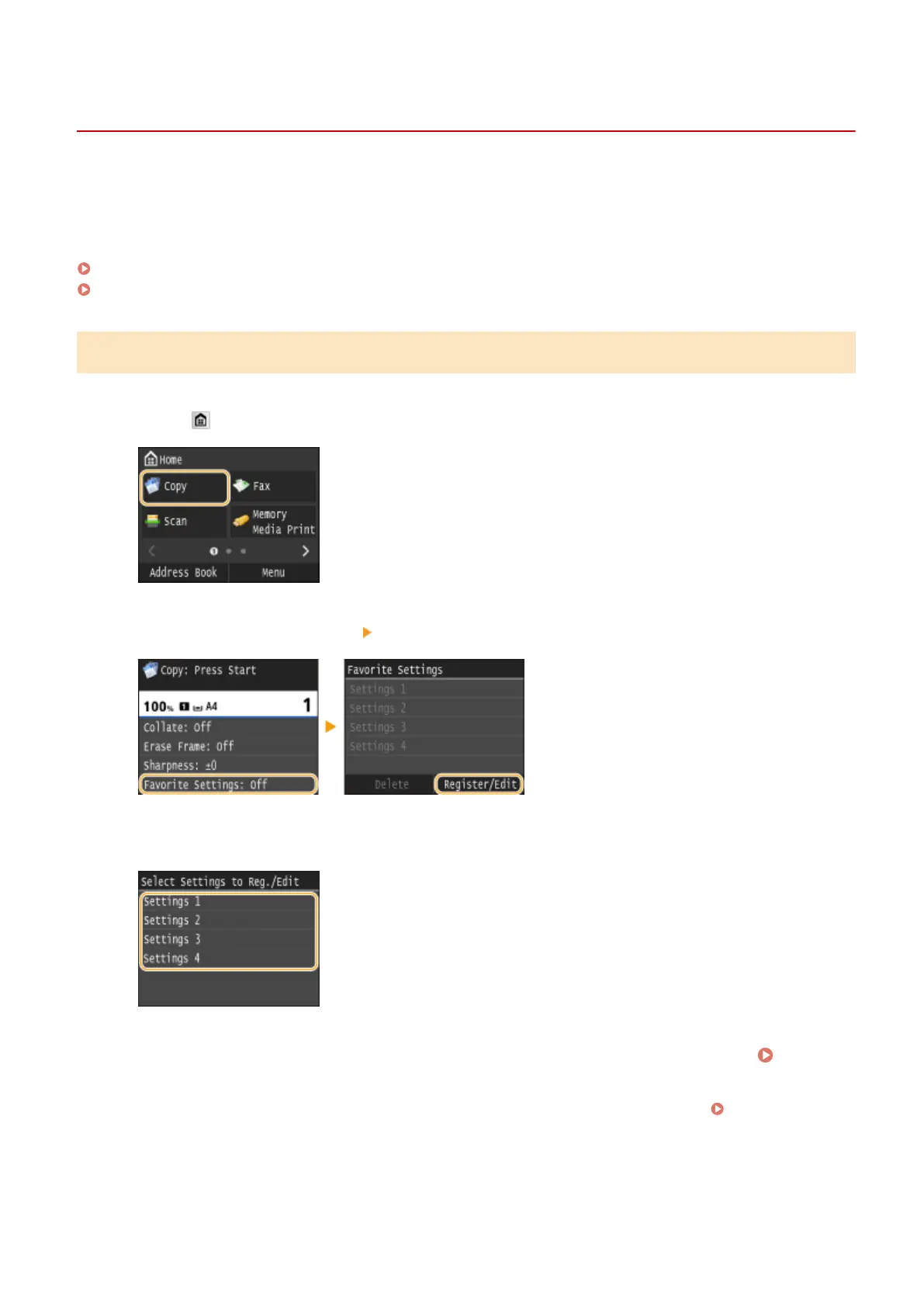
Press and tap <Copy>.
2
Select <Favorite Settings> <Register/Edit>.
3
Select where to register the settings.
4
Change the values for the settings you want to register, and tap <Apply>. Various
Copy Settings(P. 115)
● To rename the registration destination, tap <Change Name>. On how to enter text, see Entering
Text(P. 41) .
Copying
132











 To Next Page