5
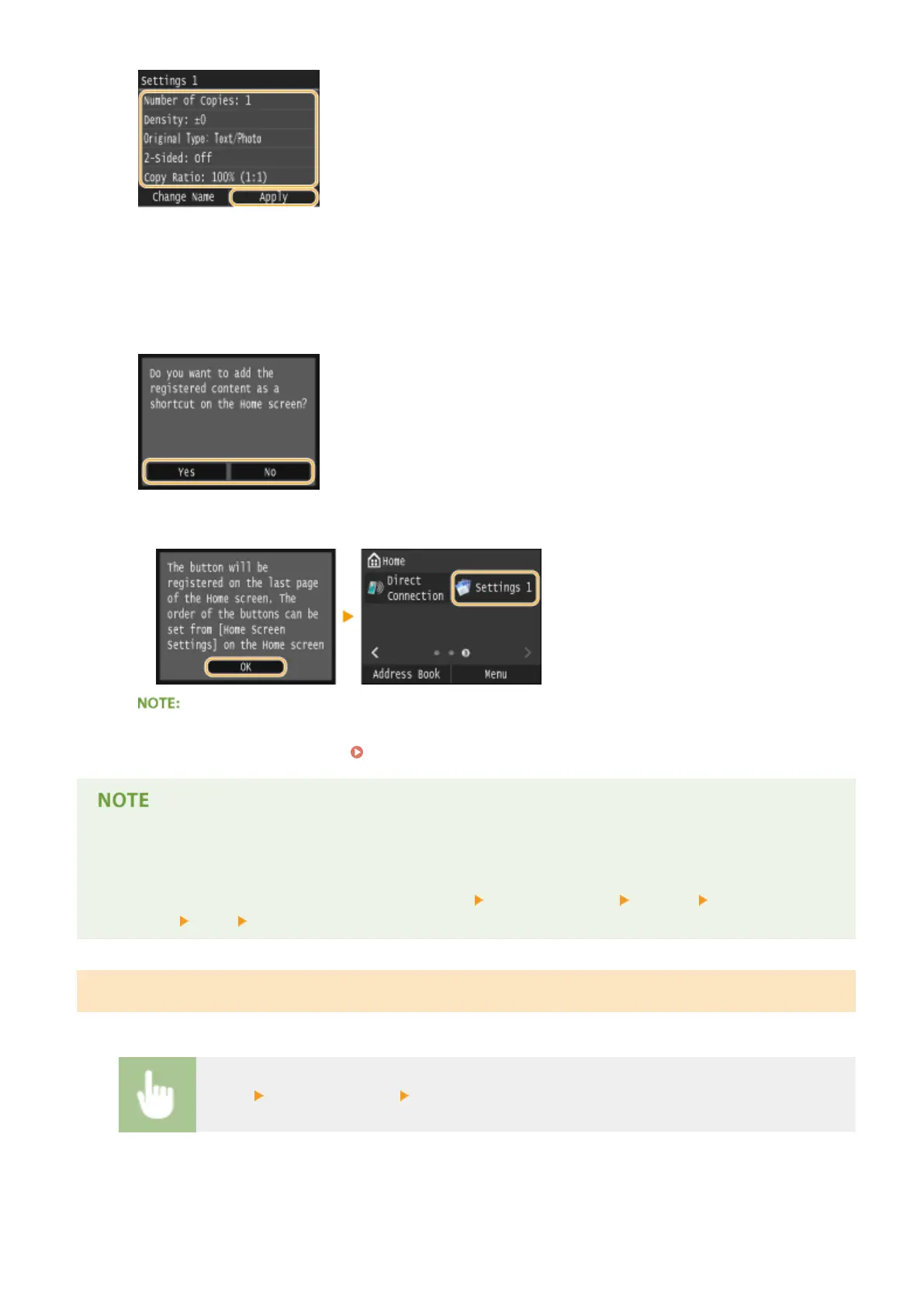
Tap <Yes>.
6
Select whether to register the settings as a shortcut button.
● If you select <Yes>, a message appears. Check the message and then tap <OK>. The registered setting
combination is added to the Home screen as a shortcut button.
● If the Home screen is full and the shortcut button cannot be added, use <Home Screen Settings> to delete
registered buttons or blanks. Customizing the Home Screen(P. 34)
● Registered settings are retained even when the machine is turned OFF.
● To edit registered settings, select the setting combination to be edited in step 3 and then edit the settings.
● If you want to delete a registered setting, tap <Copy> <Favorite Settings> <Delete> Select the
Settings <Yes> <Yes>.
Recalling Favorite Settings
Simply select the setting combination that suit your purpose from the favorite settings.
<Copy> <Favorite Settings> Select the setting combination to be recalled
Copying
133











 To Next Page