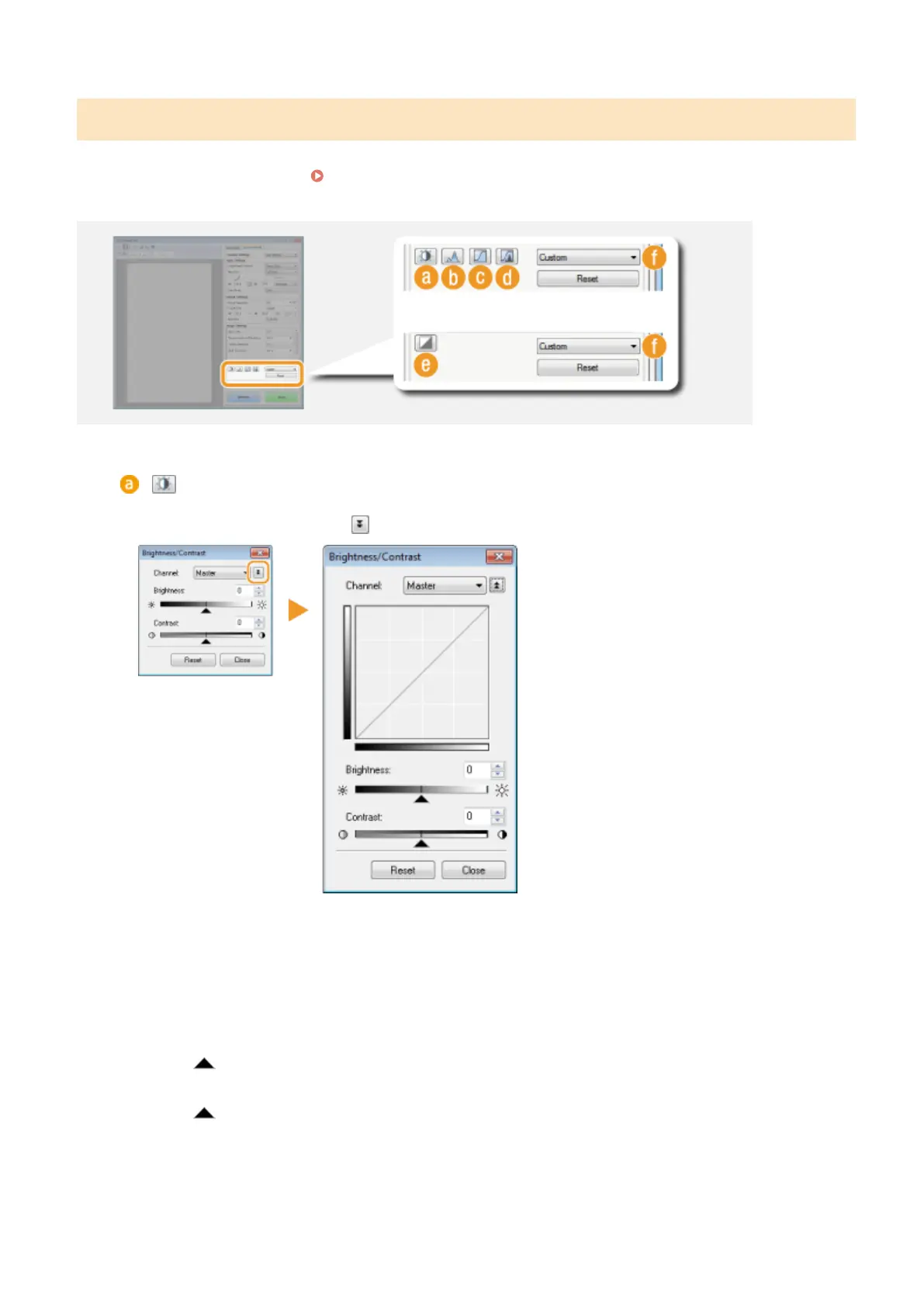
Adjusting Brightness and Color
Congure color settings such as brightness, contrast, and color tone. The displayed items vary depending on the
settings selected for [Color Mode] (
Specifying Settings for Documents and Color Mode(P. 318) ). When [Text
Enhanced] is selected, you cannot congure these settings.
(Brightness/Contrast)
Adjusts the brightness and contrast (the difference between the light and dark parts) of the image. To adjust
while checking on a graph, click on the upper-right of the screen.
[Channel]
● If you select [Color] for [Color Mode], you can adjust the [Red], [Green] and [Blue] color channels
separately. To adjust all three colors at the same time, select [Master]. You can combine the
adjustments made in [Master] and those made in the individual color channels.
● If you select [Grayscale] for [Color Mode], only [Grayscale] is displayed.
[Brightness]
Slide or enter a value.
[Contrast]
Slide or enter a value. When contrast is reduced, the difference between the light and dark parts of
the image is reduced to create a softer appearance. When contrast is increased, the difference between
the light and dark parts is increased to create a bolder appearance.
Using the Machine as a Scanner
322











 To Next Page