2
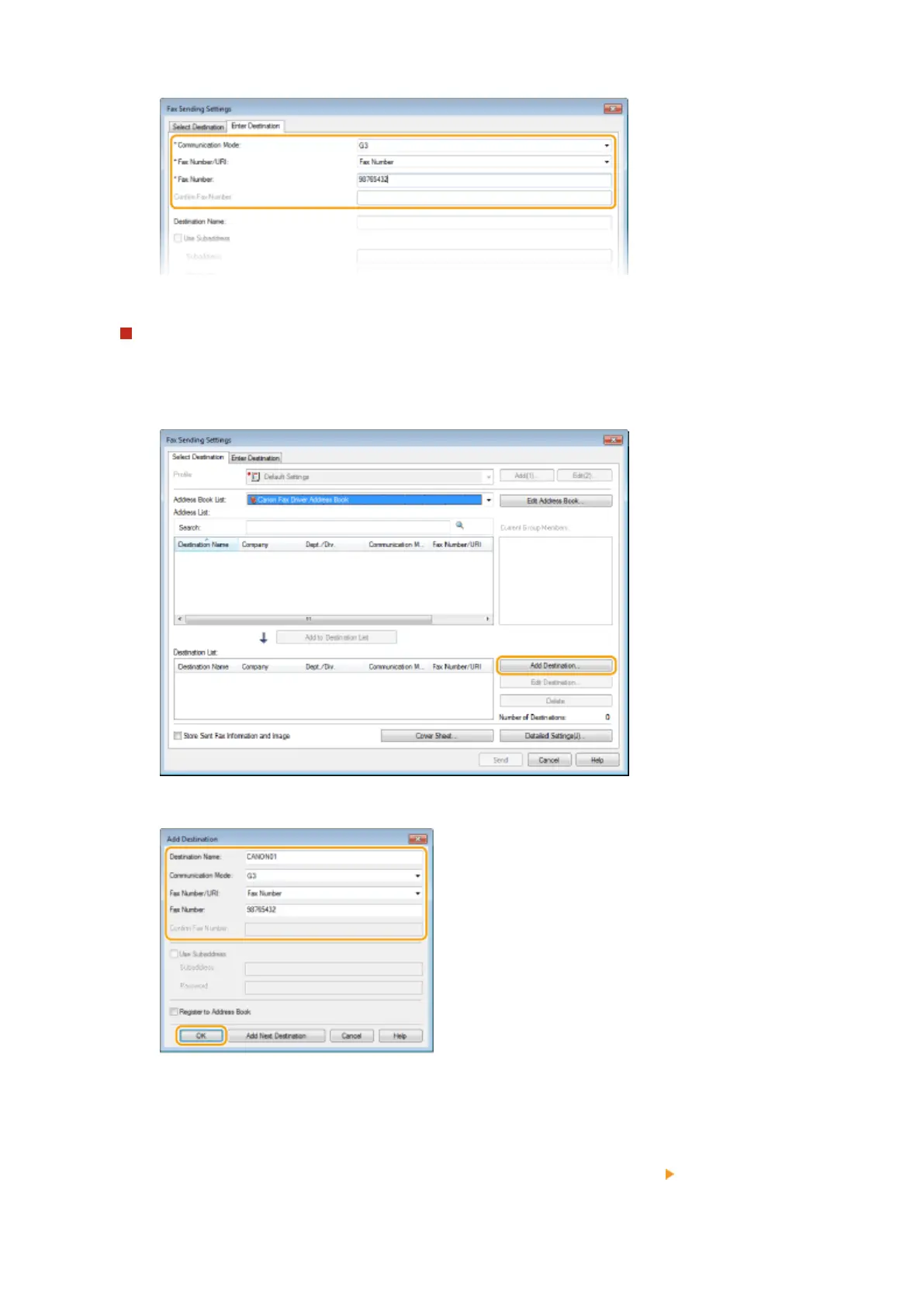
Set the communication mode and fax number (or URI).
To specify multiple destinations at once
1
Click the [Select Destination] tab.
2
Click [Add Destination].
3
Set the communication mode and fax number (or URI), and click [OK].
4
Repeat steps 2 and 3 to add concurrent destinations.
● You can also add a destination by clicking [Add Next Destination] in step 3.
● If you need to specify a number to dial an outside line, select [Detailed Settings] [Add Outside Dialing
Prex to G3/IP Fax Number] and enter the number in [Outside Dialing Prex]. The specied number is added
to the beginning of the fax number when the machine dials.
Faxing
205











 To Next Page