4
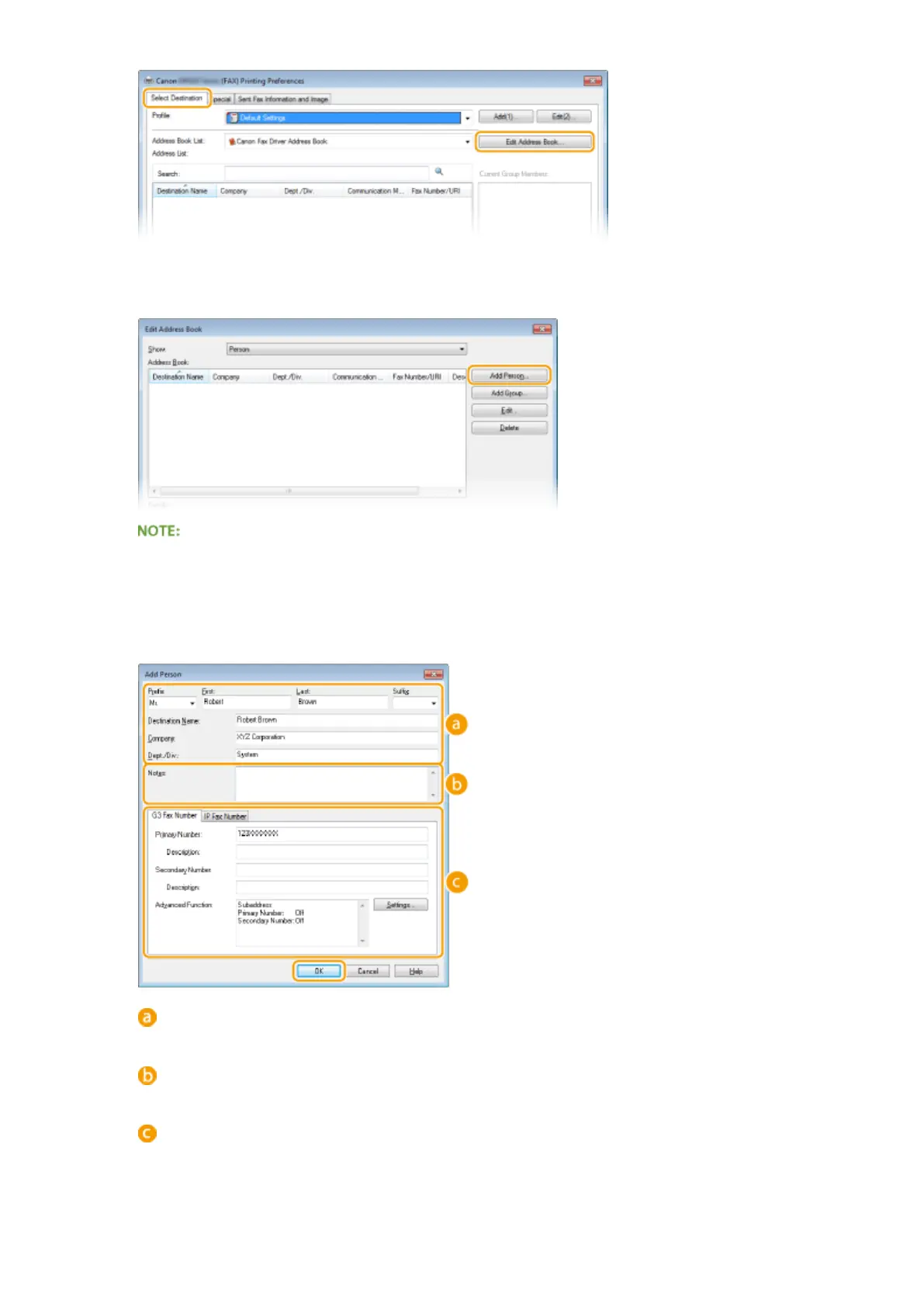
Click [Add Person].
● To change or delete registered destinations, select a destination from [Address Book], and click [Edit] or
[Delete].
5
Specify each setting and click [OK].
Address
Enter the recipient name, company name, and department name.
[Notes]
Enter comments as necessary.
Fax Number
Enter the fax number(s). Hyphens can be inserted between numbers as necessary. If you want to add
explanations of the uses for the fax numbers, such as "Home" or "Oce", enter them in [Description].
Faxing
214











 To Next Page