If you selected [Yes]
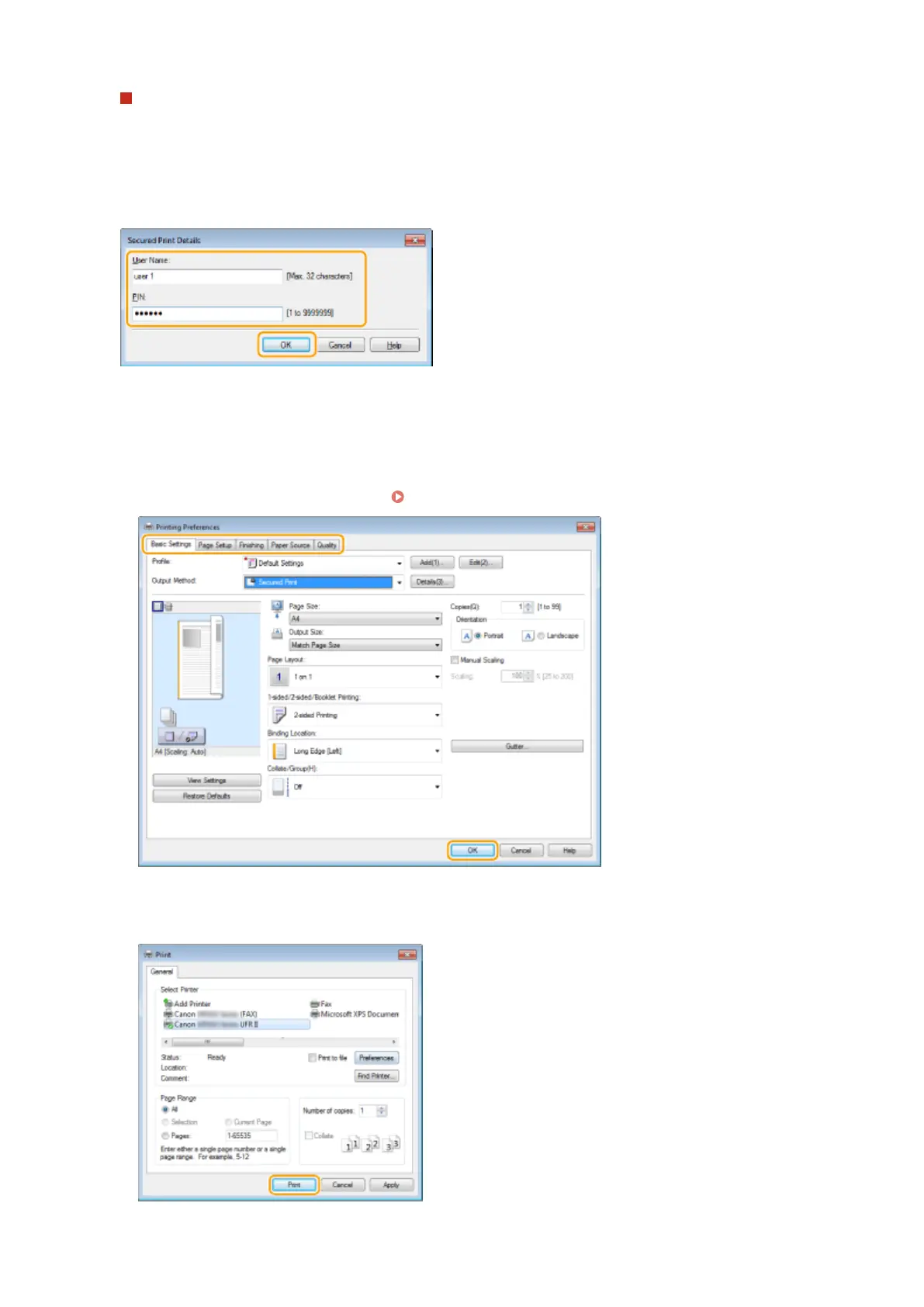
Enter the [User Name] and [PIN], and click [OK].
● The computer name (logon name) of your computer is displayed in [User Name]. If you want to change the
user name, enter up to 32 alphanumeric characters for a new user name.
● Enter a number of up to seven digits to [PIN].
4
Specify the print settings, and click [OK].
● Click the [Basic Settings], [Page Setup], [Finishing], [Paper Source], or [Quality] tabs to specify the print
settings on each screen as necessary. Various Print Settings(P. 246)
5
Click [Print] or [OK].
Using the Machine as a Printer
280











 To Next Page