● Tap <Off>, and restart the machine.
5
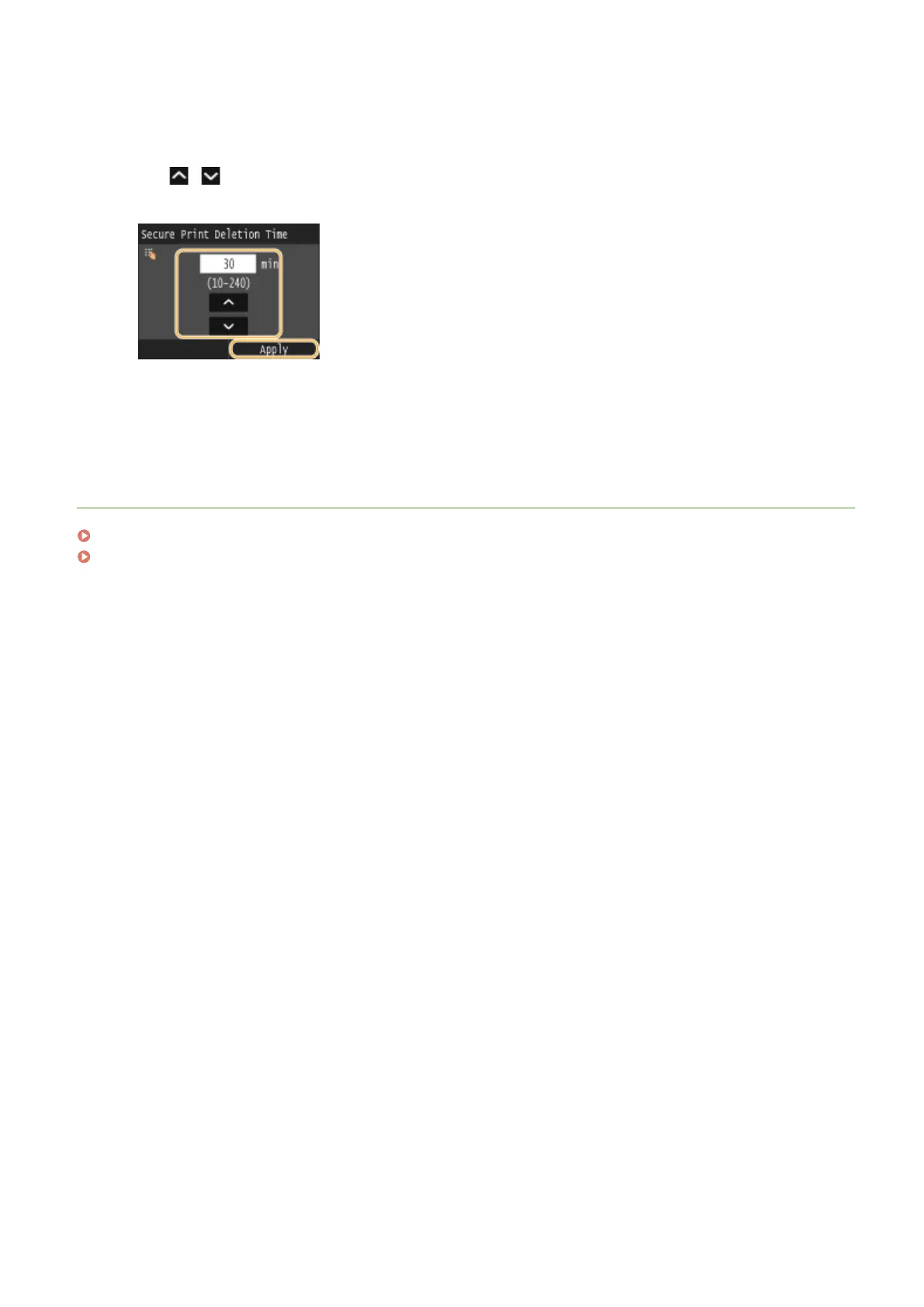
Specify how long the machine holds secured documents, and tap <Apply>.
● Tap / or the numeric keys to enter the time.
● The secured document is erased from the memory of the machine when the time specied here elapses.
6
Restart the machine.
● Turn OFF the machine, wait for at least 10 seconds, and turn it back ON.
LINKS
Preparing for Using Secure Print(P. 277)
Checking the Printing Status and Log(P. 244)
Using the Machine as a Printer
283



 To Next Page