[Grayscale] The document is scanned as a grayscale image (in black and white with intermediate
shades of gray, similar to a black and white photograph).
[Color] The document is scanned as a color image.
[Text Enhanced] The document is scanned as a black and white image optimized for processing by OCR
(optical character recognition) software.
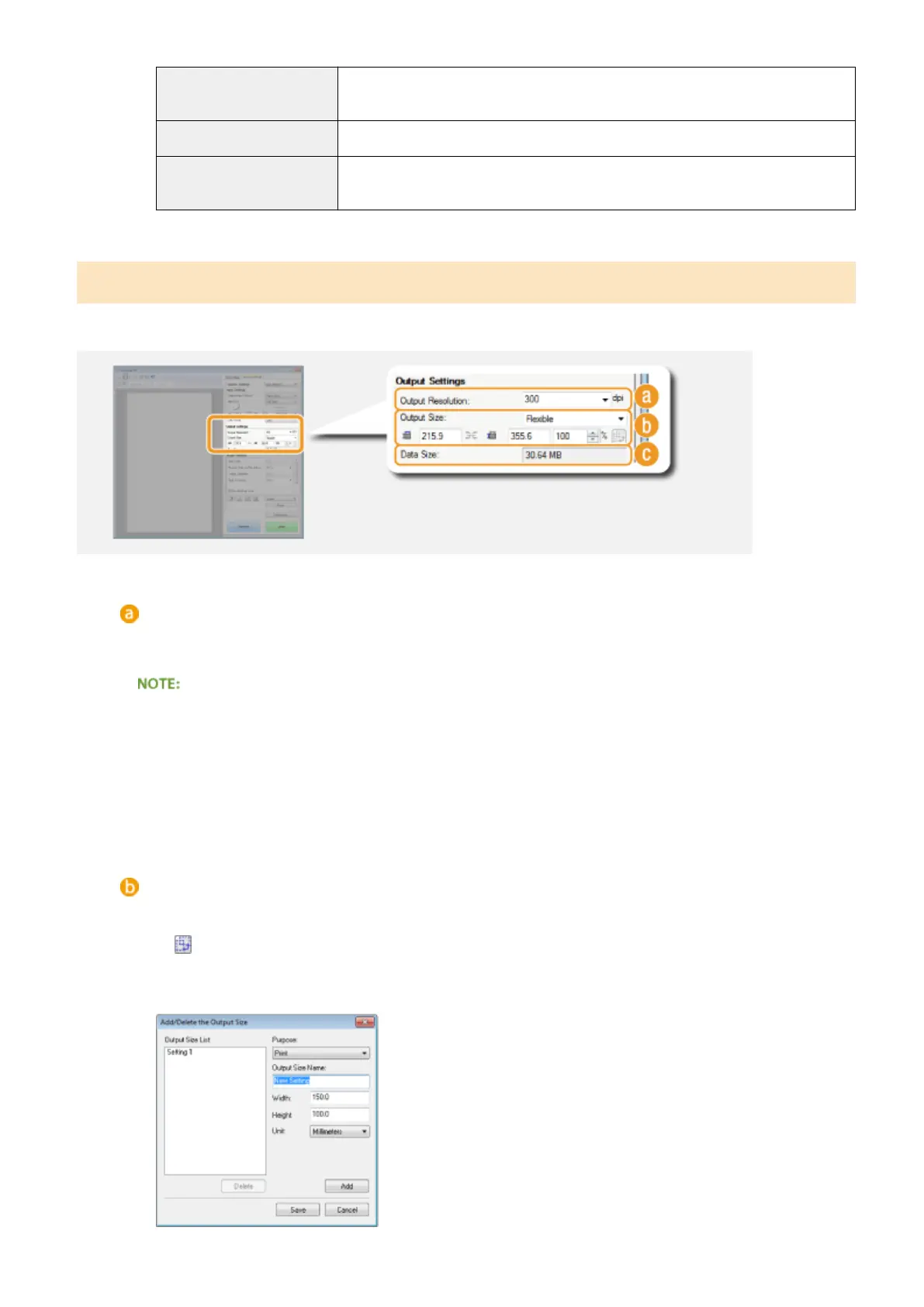
Specifying Resolution and Image Size
Specify the output resolution and output size.
[Output Resolution]
Select the resolution of the scanned image that suits your intended use. If documents are placed in the
feeder, the maximum resolution is 300 dpi.
About the output resolution
● A resolution of 75 dpi is a rough guide for displaying the scanned image on a computer, and 300 dpi for
printing or creating a searchable PDF.
● If you double the output resolution, the image le size increases by a factor of 4. If the le size is too large,
a memory shortage or other error may occur. Set the resolution to the minimum required for your
intended use.
[Output Size]
● Select the size of the scanned image when it is printed or displayed on a computer.
● Click
to switch between the portrait and landscape orientation. This button is not available when
[Flexible] is selected.
● If you select [Add/Delete], you can add new output size settings and delete the added sizes.
Using the Machine as a Scanner
320











 To Next Page