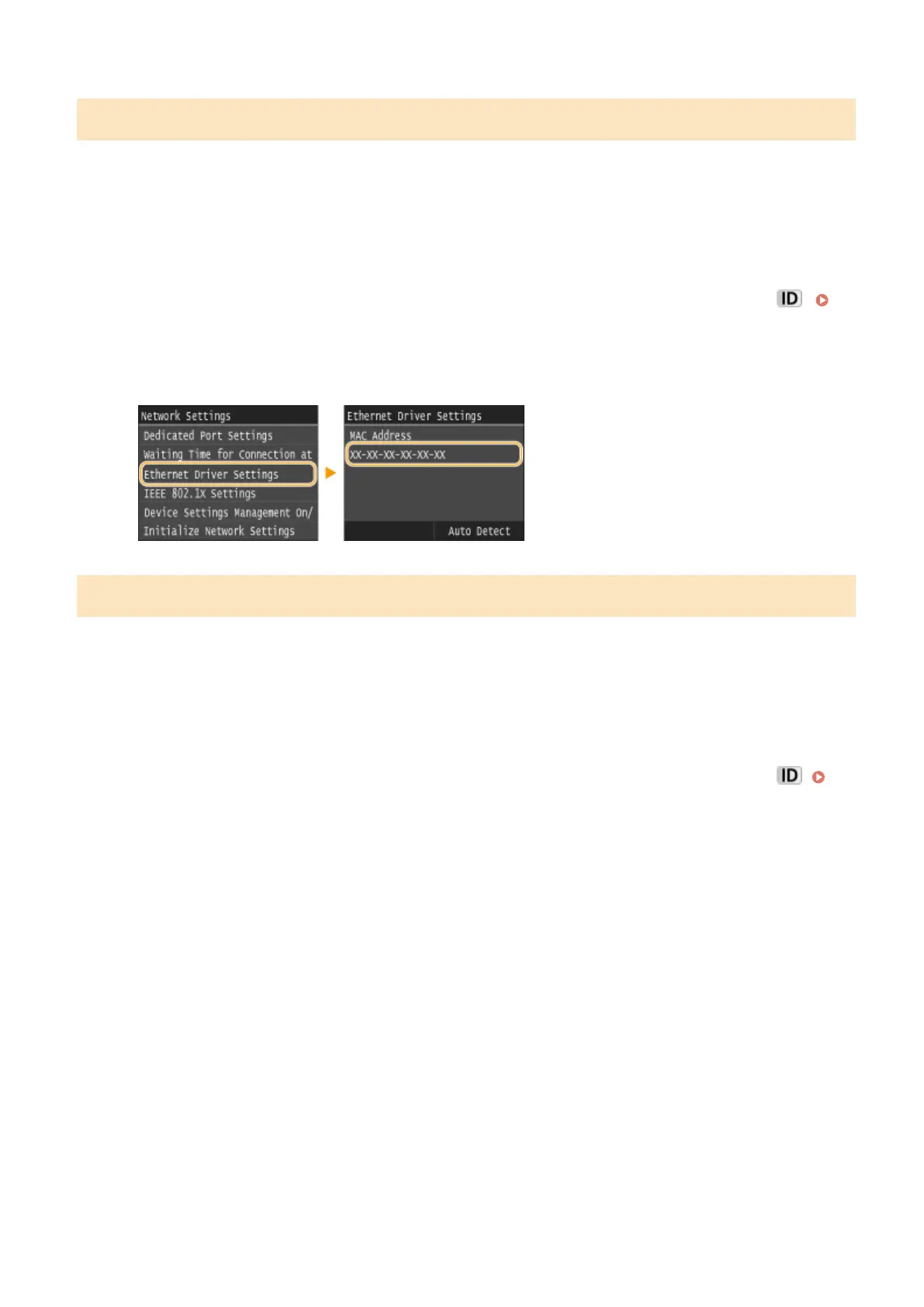
Viewing the MAC Address for Wired LAN
1
Tap <Menu> in the Home screen.
2
Tap <Network Settings>.
● If the logon screen appears, enter the correct ID and PIN using the numeric keys, and then press .
Logging on to the Machine(P. 44)
3
Tap <Ethernet Driver Settings>.
Viewing the MAC Address and Information for Wireless LAN
1
Tap <Menu> in the Home screen.
2
Tap <Network Settings>.
● If the logon screen appears, enter the correct ID and PIN using the numeric keys, and then press .
Logging on to the Machine(P. 44)
3
Tap <Wireless LAN Settings>.
● If the <Do you want to enable the wireless LAN?> message is displayed, tap <Yes>.
4
Read the message that is displayed, and tap <OK>.
5
Tap <Connection Information>.
6
Select the setting to view.
Network
446











 To Next Page