4
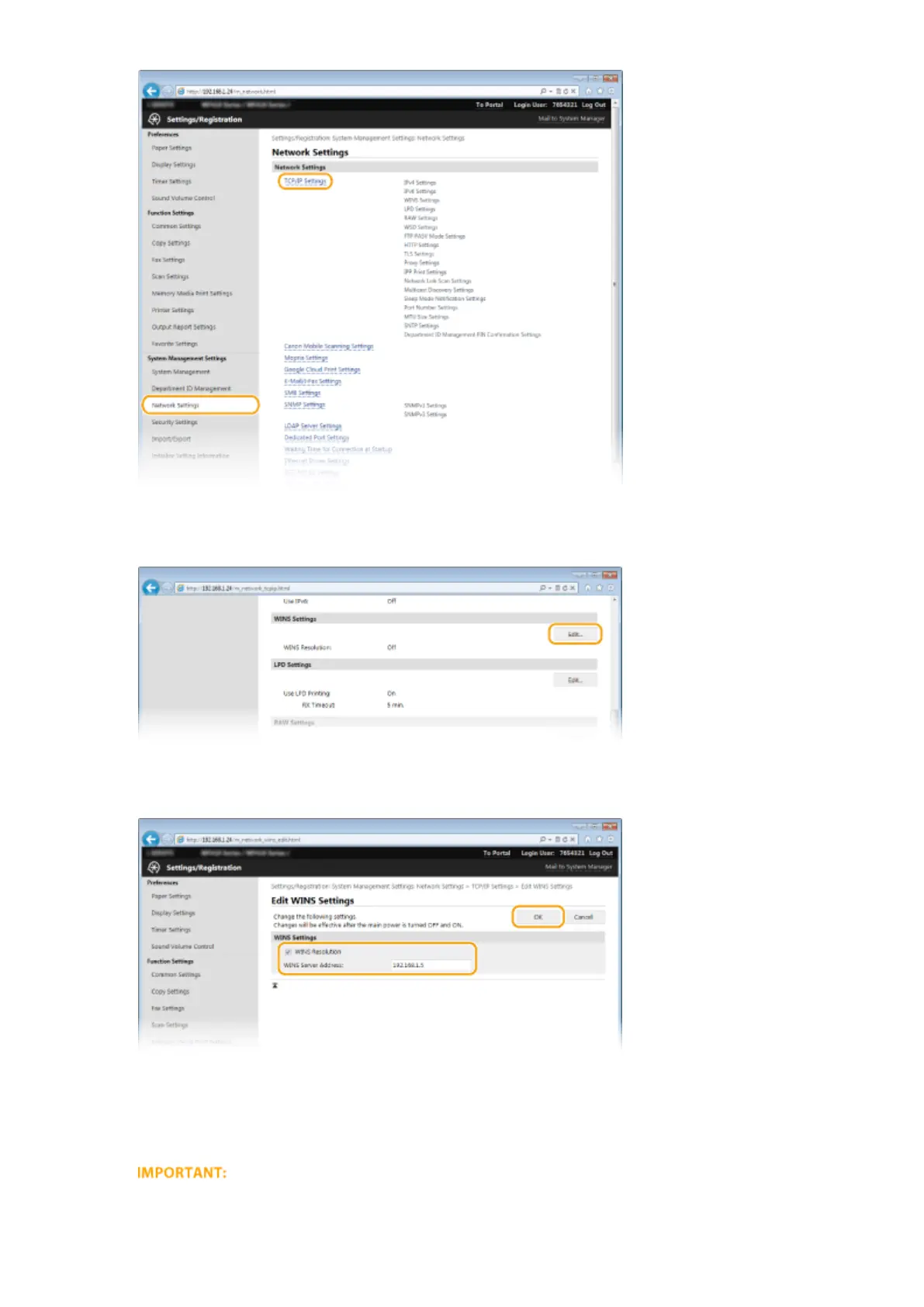
Click [Edit] in [WINS Settings].
5
Select the [WINS Resolution] check box, specify the required settings, and click [OK].
[WINS Resolution]
Select the check box to use WINS for name resolution. When not using WINS, clear the check box.
[WINS Server Address]
Enter the IP address of the WINS server.
● If the IP address of the WINS server is obtained from a DHCP server, the obtained IP address overrides the
IP address entered in the [WINS Server Address] text box.
Network
497



 To Next Page