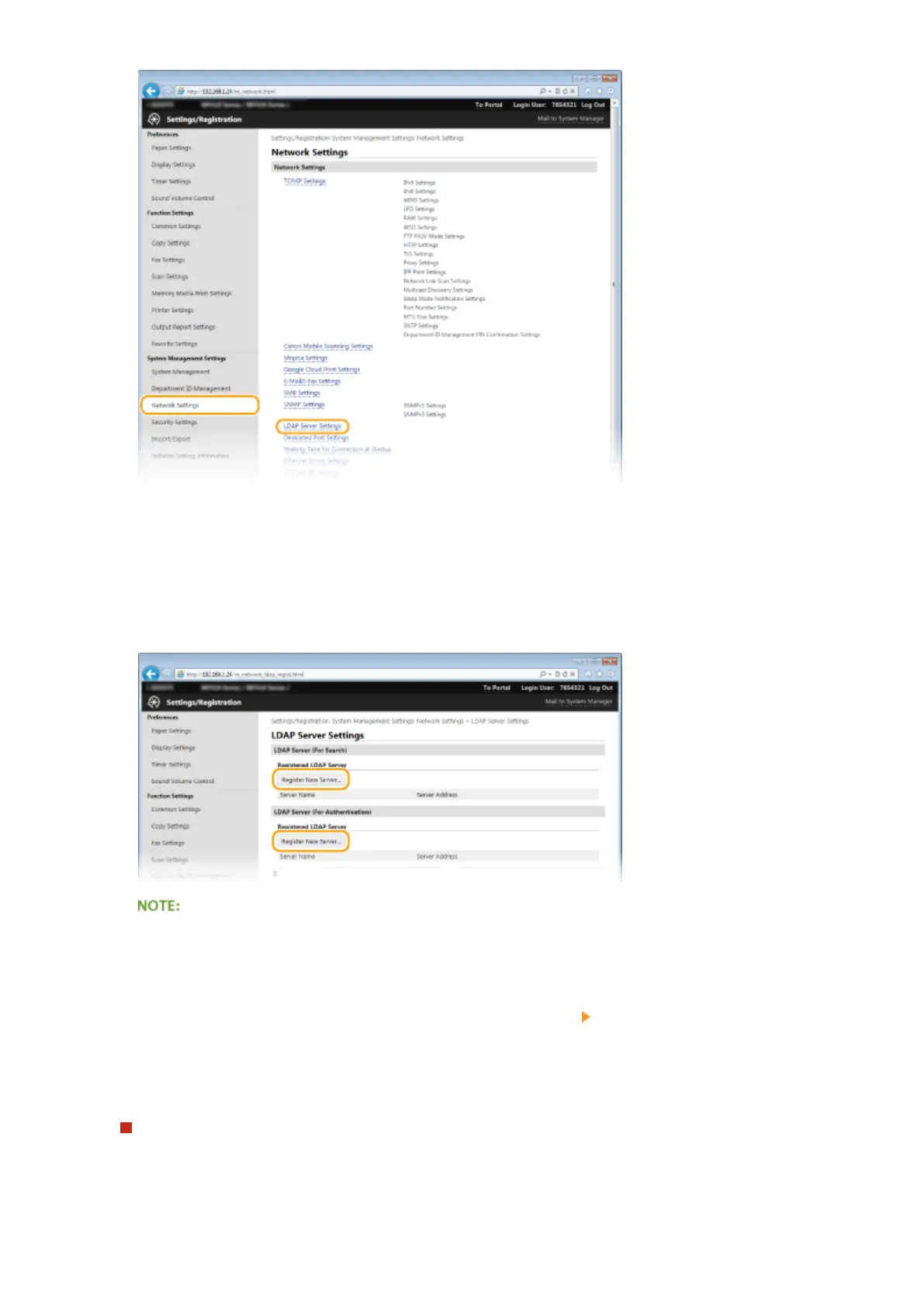
4
Click [Register New Server] for [LDAP Server (For Search)] or [LDAP Server (For
Authentication)].
● LDAP server registration is separated, with registration either for searching or for authentication. To use an
LDAP server for searching for fax and e-mail destinations, register if for searching, and to use it for
authenticating sending of e-mail or faxes, register it for authenticating.
To edit registered server information
● Click a text link under [Server Name] for the edit screen.
To delete registered server information
● Click [Delete] on the right of the server name you want to delete
click [OK].
5
Register the LDAP server.
Register the server used for searches
Register the server for searching for fax, e-mail destinations.
Network
500



 To Next Page