[Server Name]
Enter up to 24 alphanumeric characters for identifying the LDAP server.
[Server Address]
Enter the IP address of the LDAP server or enter up to 47 alphanumeric characters for the host name of the
server (example: ldap.example.com).
[Server Address] and DNS
To prevent errors from occurring when searching for destinations, make sure to check the following:
● If the host name is entered for [Server Address], make sure that a DNS server is available in the
network.
● If the IP address is entered for [Server Address], check whether the DNS server supports only
forward lookup. If the server supports only forward lookup, select [Use] for [Login Information]. If
you select [Use (Security Authentication)], make sure that the DNS server supports reverse lookup.
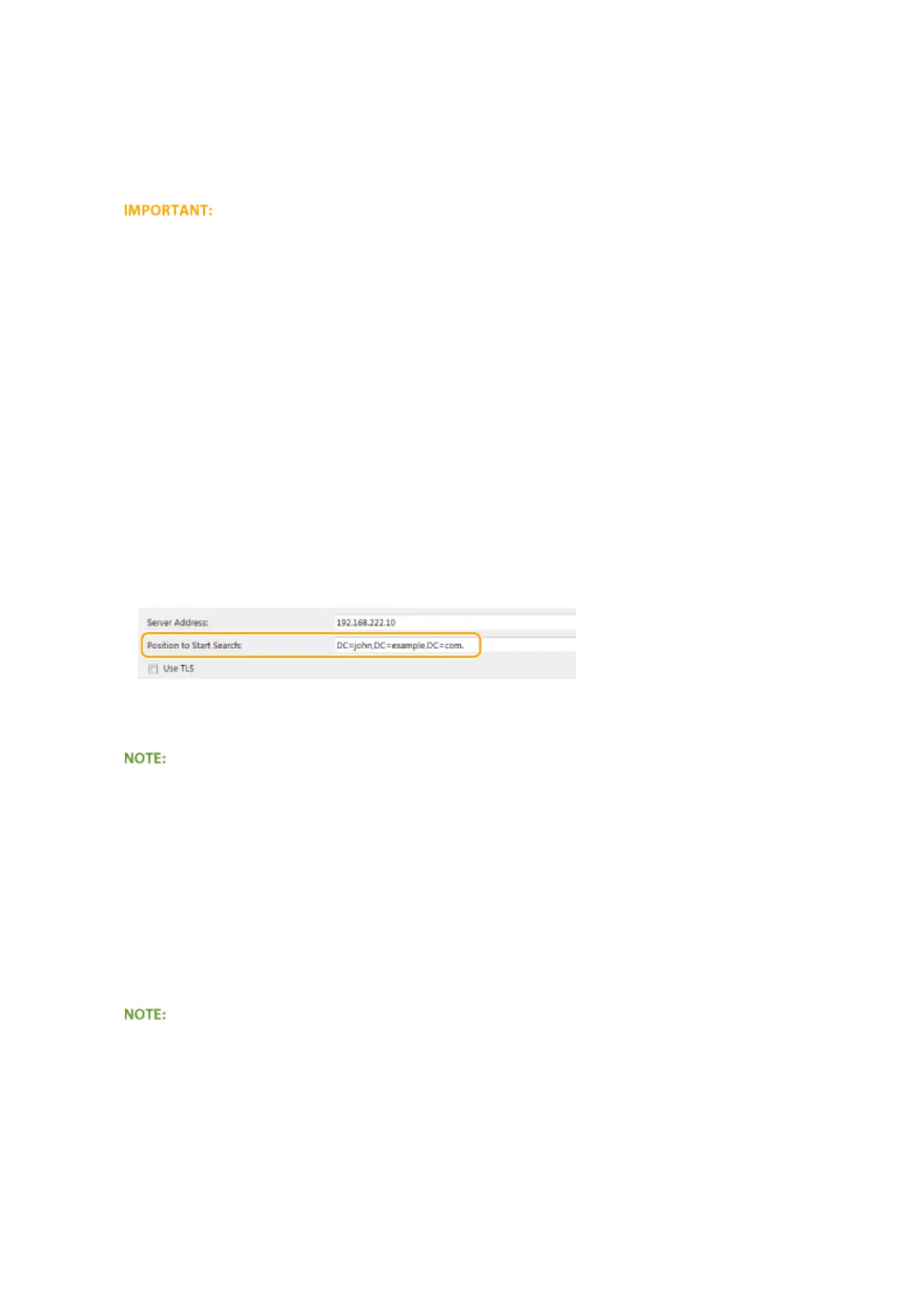
[Position to Start Search]
Specify the node in the directory information tree (DIT) that you want to start search from. Leaving the text box
blank sets the machine to start search from an arbitrary node selected automatically.
● Depending on the type of characters used, up to 120 characters can be entered.
● When specifying the node, enter "DC=", followed by a host name (a dot-delimited character string in the
Active Directory domain name), and separate each of the entries with a comma. If the domain name is
"john.example.com", for example, enter "DC=john,DC=example,DC=com."
[Use TLS]
Select the check box to encrypt communication with the LDAP server using TLS.
●
This is enabled only when [Use] is selected in [Login Information].
[Port Number]
Enter the port number used for communicating with the LDAP server.
[Authentication/Attribute Acquisition Timeout]
Specify how long authentication and attribute acquisition can continue in a range from 15 to 150 seconds.
[User Name Attribute]
Enter the attribute name, to be compared with a user name entered during authentication, of up to 64
alphanumeric characters (Example: "sAMAccountName").
●
No entry is required when [Use (Security Authentication)] is selected in [Login Information].
[E-Mail Address Attribute]
Enter the attribute name, to be used for obtaining an e-mail address from the authentication server, of up to 64
alphanumeric characters (Example: "mail").
[Login Information]
Select [Use] or [Use (Security Authentication)] depending on the type of authentication implemented by the
LDAP server.
Network
503











 To Next Page