2
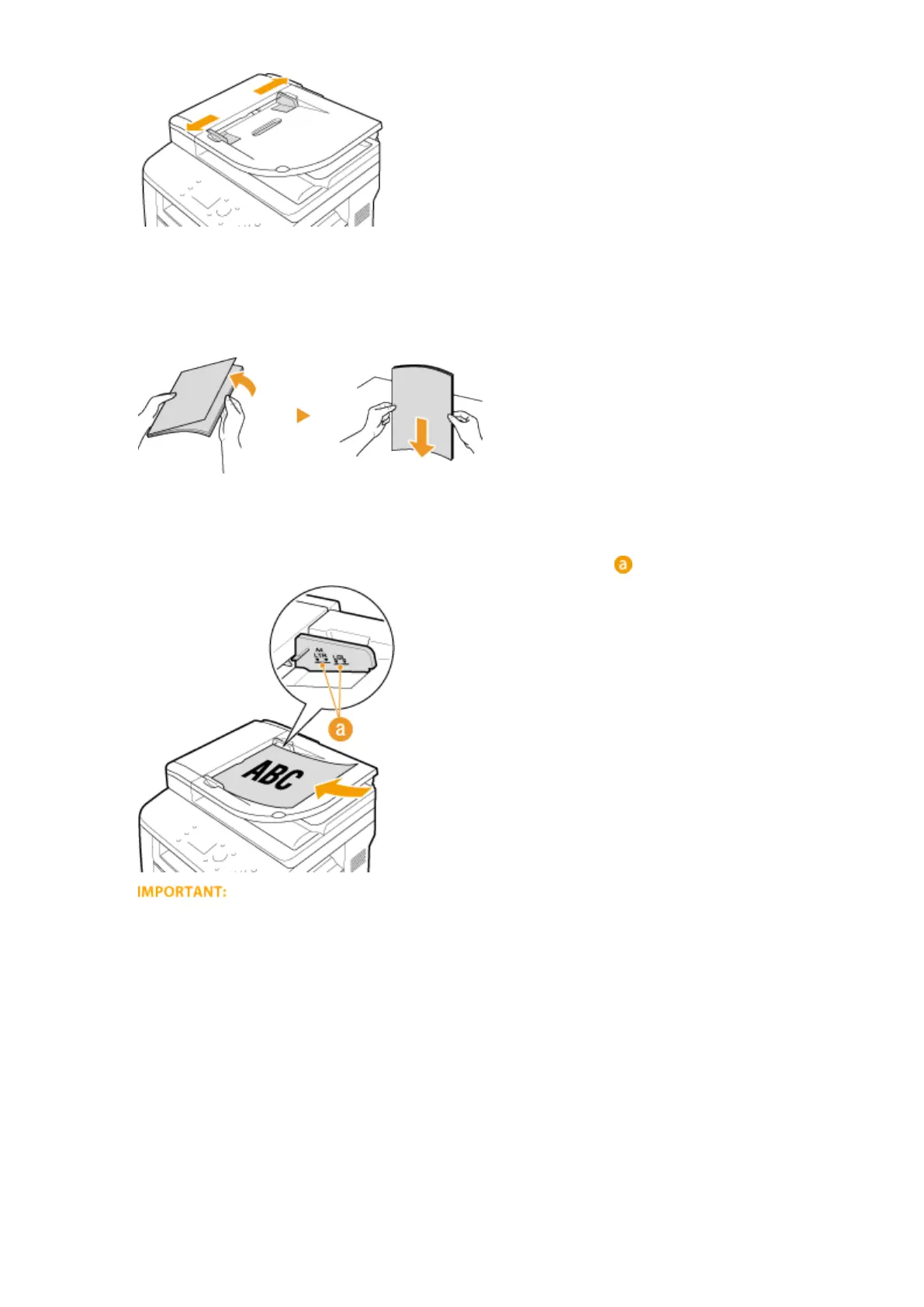
Fan the document stack and align the edges.
● Fan the document stack in small batches, and align the edges by lightly tapping the stack on a at surface a
few times.
3
Place the document(s) face up in the feeder.
● Make sure that the document stack does not exceed the load limit lines ( ).
● Do not load documents of various sizes at the same time.
● Up to 50 sheets can be loaded at a time. If 51 or more sheets are loaded, scanning may stop or a paper
jam may occur.
4
Align the document guides against the edges of the document.
● Slide the document guides inward until they are aligned securely against the edges of the document.
Basic Operations
49











 To Next Page