5
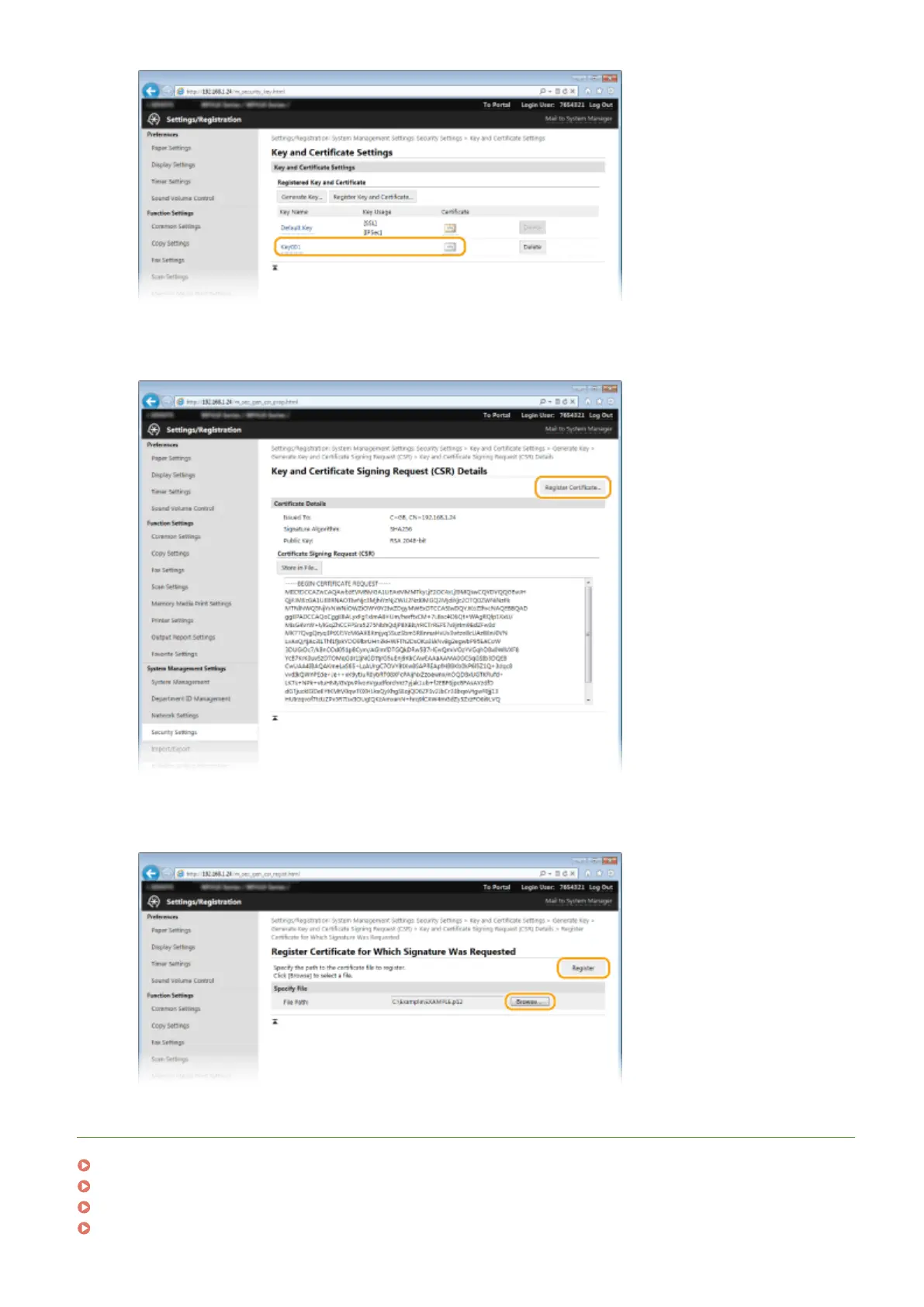
Click [Register Certicate].
6
Click [Browse], specify the le for the certicate signing request, and click [Register].
LINKS
Using CA-issued Key Pairs and Digital Certicates(P. 598)
Verifying Key Pairs and Digital Certicates(P. 602)
Enabling TLS Encrypted Communication for the Remote UI(P. 570)
Conguring IPSec Settings(P. 574)
Security
597


 To Next Page
 Loading...







