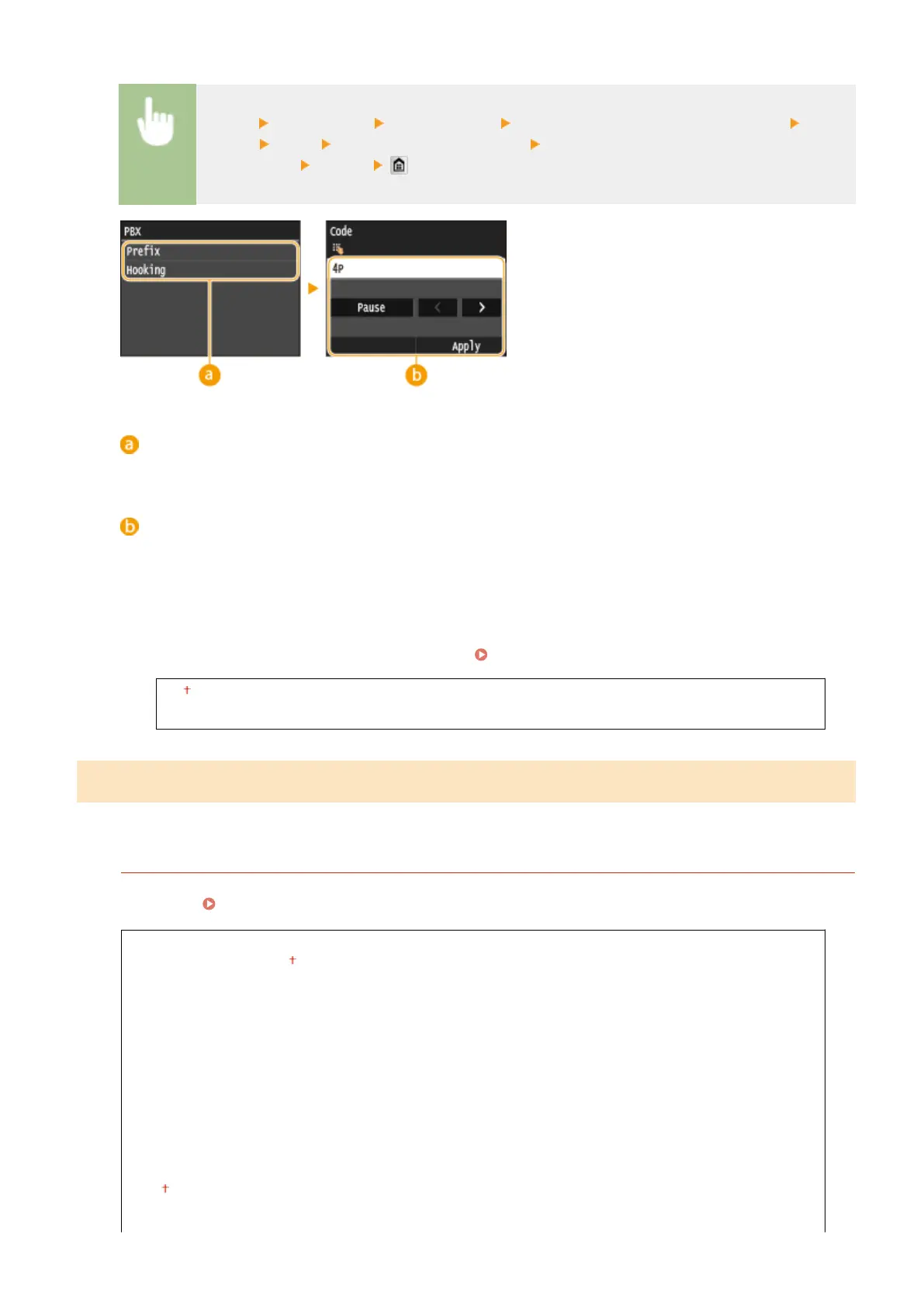
<Menu> <Fax Settings> <Basic Settings> <Communication Management Settings> <R-Key
Setting> <PBX> Select <Prex> or <Hooking> Enter the outside line access number if you
select <Prex> <Apply>
<PBX>
Select the type of PBX you are using. If you select <Prex>, register the prex code on the next screen.
<Code>
Enter the prex code using the numeric keys, tap <Pause>, and then tap <Apply>. If you do not insert a
pause, the prex code is not registered.
Archive TX Document
*2
In addition to the destination specied when the fax is sent, you can specify whether faxed documents are
also sent to a preset storage address for archiving.
Archiving Sent Faxes(P. 198)
Off
On
TX Function Settings
Specify settings for sending faxes.
Change Default Settings
Specify settings used for sending faxes. The selected settings are used as the default settings when scanning
documents. Changing Default Settings(P. 173)
Resolution
200 x 100 dpi (Normal)
200 x 200 dpi (Fine)
200 x 200 dpi (Photo)
200 x 400 dpi (Superne)
400 x 400 dpi (Ultrane)
Density
Nine Levels
2-Sided Original
Off
Book Type
Setting Menu List
657











 To Next Page