75%
Direction
Vertical/Horizontal
Vertical Only
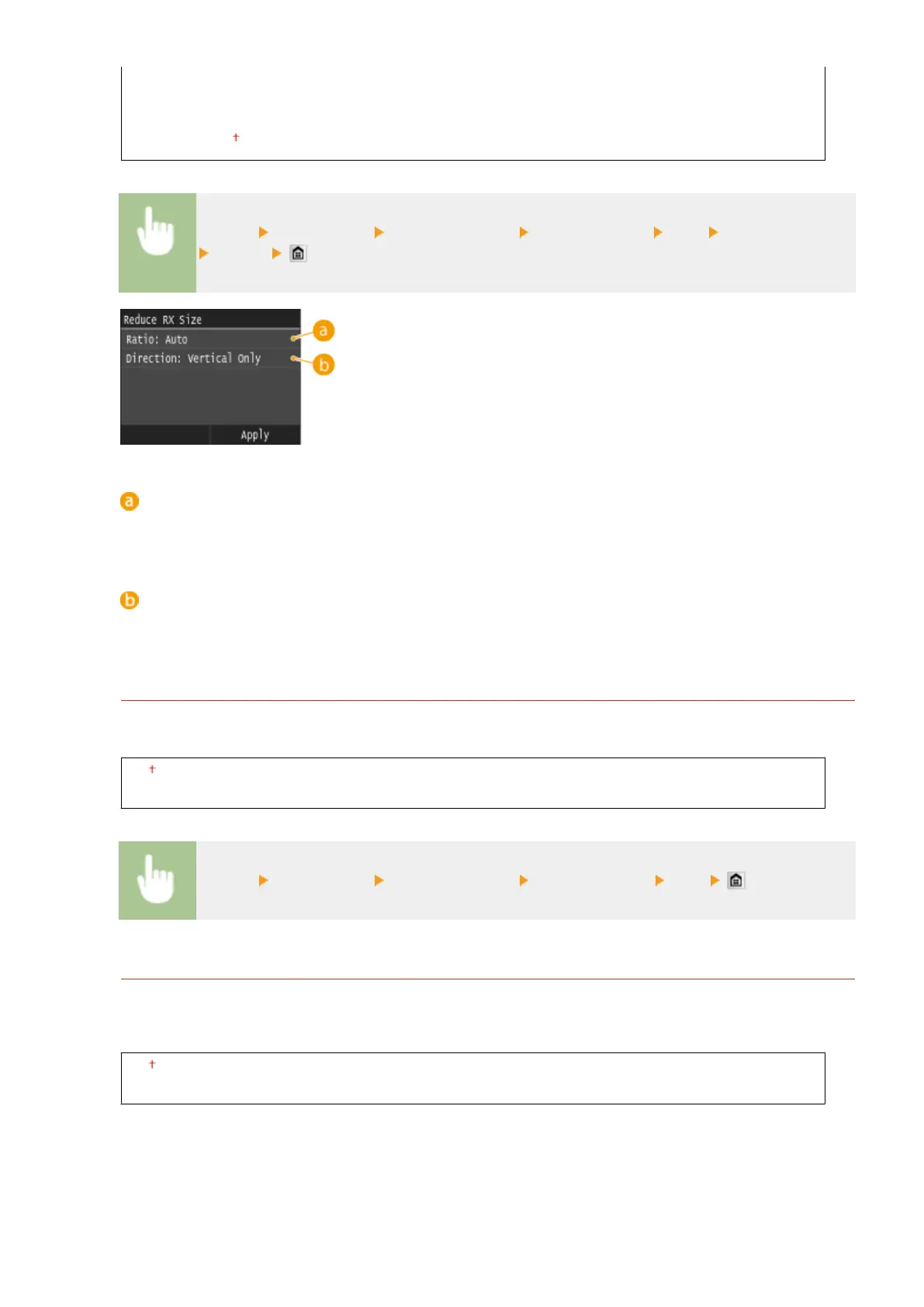
<Menu> <Fax Settings> <RX Print Settings> <Reduce RX Size> <On> Specify the settings
<Apply>
<Ratio>
<Auto> reduces the image by a ratio that is based on the size of the loaded paper. <97%>, <95%>, <90%>, or
<75%> reduce the image by the corresponding ratio.
<Direction>
Select <Vertical/Horizontal> to reduce the image both vertically and horizontally. Select <Vertical Only> to
reduce only vertically.
RX Page Footer
Select whether to print information, including date and time of reception and page numbers, on the bottom of
received faxes.
Off
On
<Menu> <Fax Settings> <RX Print Settings> <RX Page Footer> <On>
Continue Printing When Amount in Cartridge Is Low
If receiving faxes when the amount remaining in a toner cartridge is low, the machine holds them in memory
instead of printing. However, if this function is enabled, the machine continues printing. In addition to fax
reception, this is true with I-Fax reception.
Off
On
Setting Menu List
664











 To Next Page