2
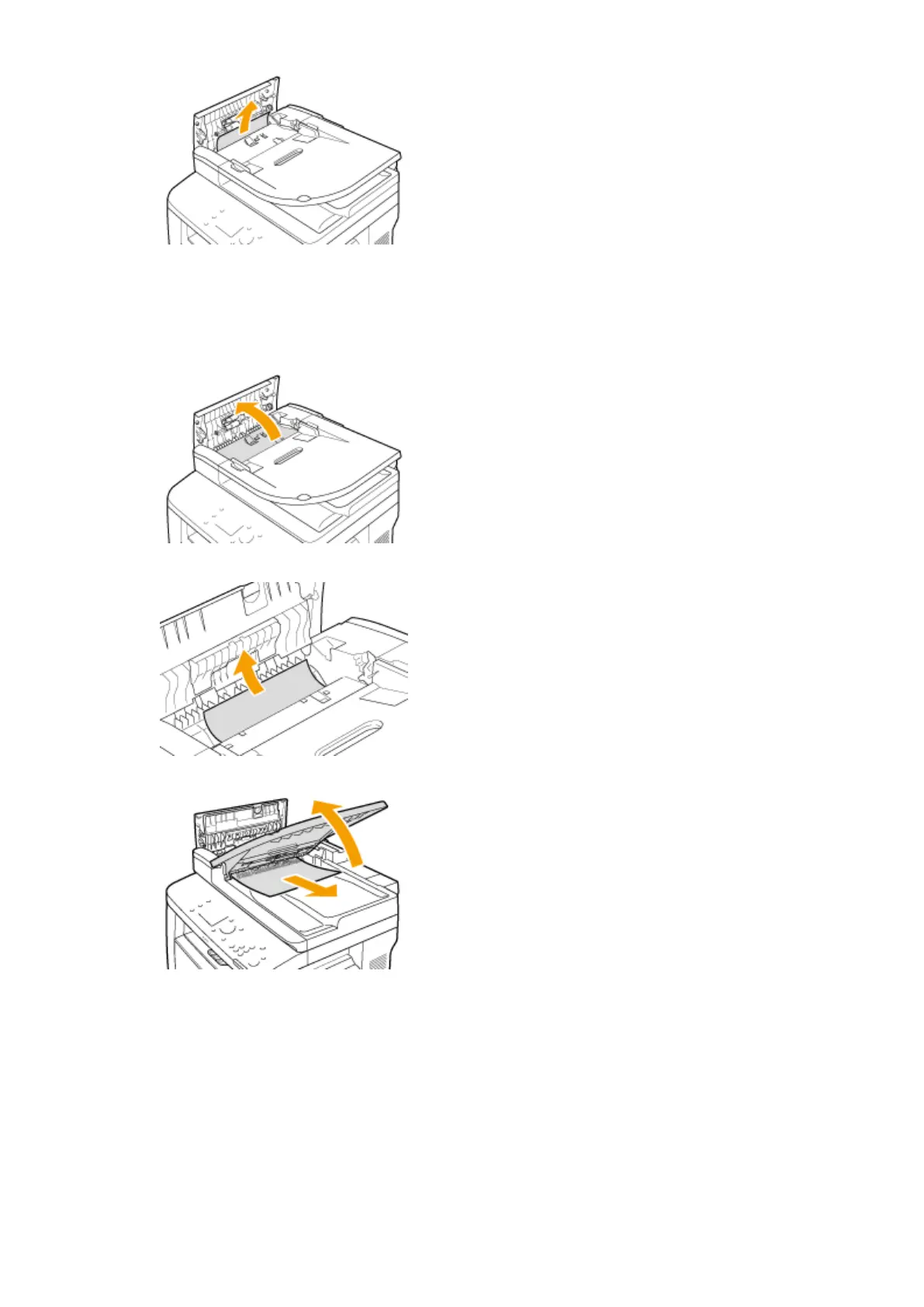
Remove the jammed document from the inner cover inside the feeder.
1
Hold the green knob, and open the inner cover.
2
Gently pull out the document.
3
Lift the document tray, and gently pull out the document.
4
Return the document tray back to position, and close the inner cover.
3
Return the lever back in place, and close the feeder cover.
4
Remove the jammed document from the underside of the feeder.
1
Open the feeder.
Troubleshooting
725











 To Next Page