2
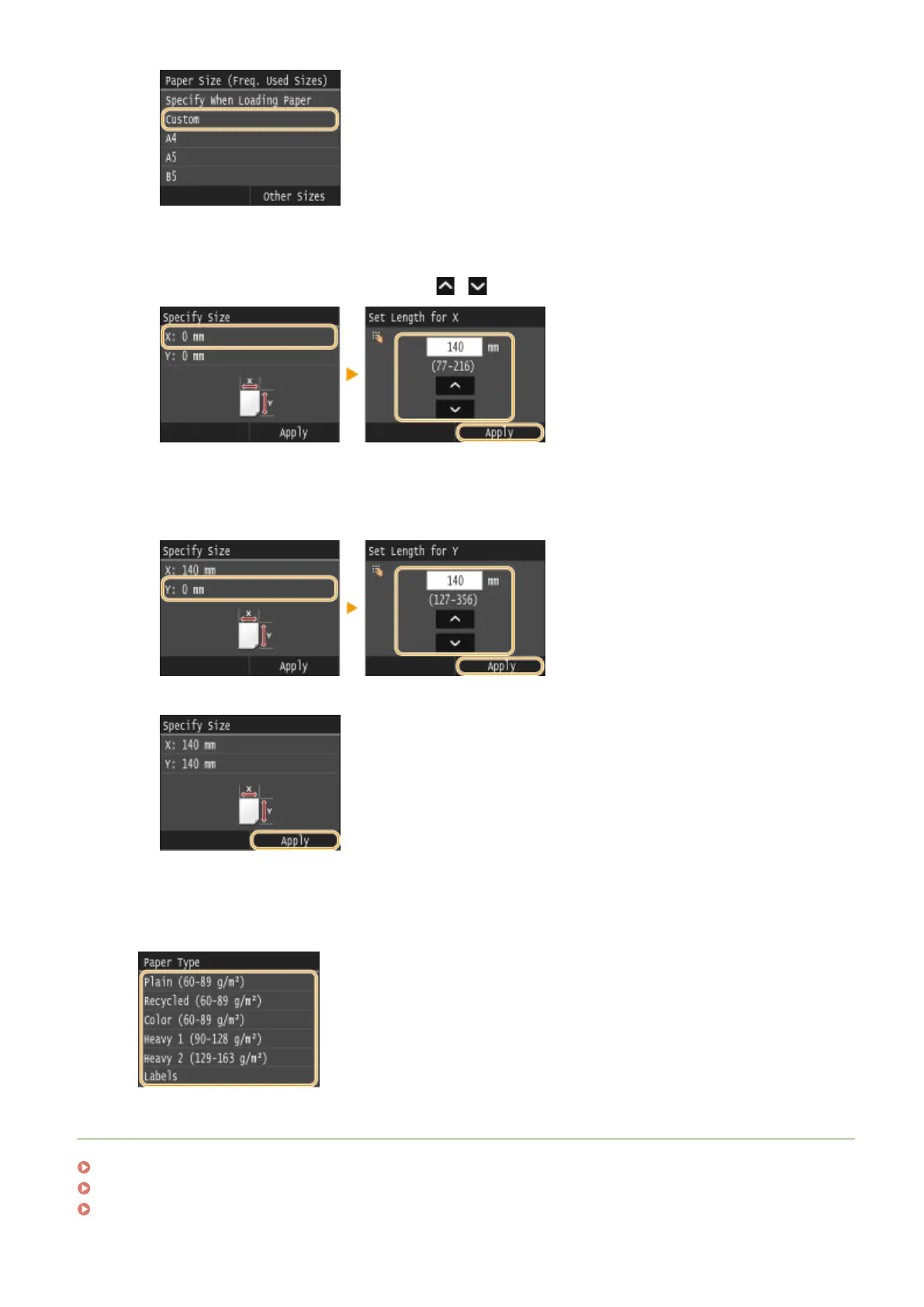
Specify the length of the <X> (shorter) side.
● Tap <X>.
● Input the length of the <X> side using / or the numeric keys, and tap <Apply>.
3
Specify the length of the <Y> (longer) side.
● Tap <Y>.
● Input the length of the <Y> side, and tap <Apply>.
4
Tap <Apply>.
4
Select the paper type.
LINKS
Loading Paper in the Multi-Purpose Tray(P. 58)
Limiting the Paper Sizes Displayed(P. 77)
Paper(P. 858)
Basic Operations
73











 To Next Page