•
When selecting Enable in Roll paper auto feed.
•
The roll paper is fed.
•
When selecting Disable in Roll paper auto feed.
•
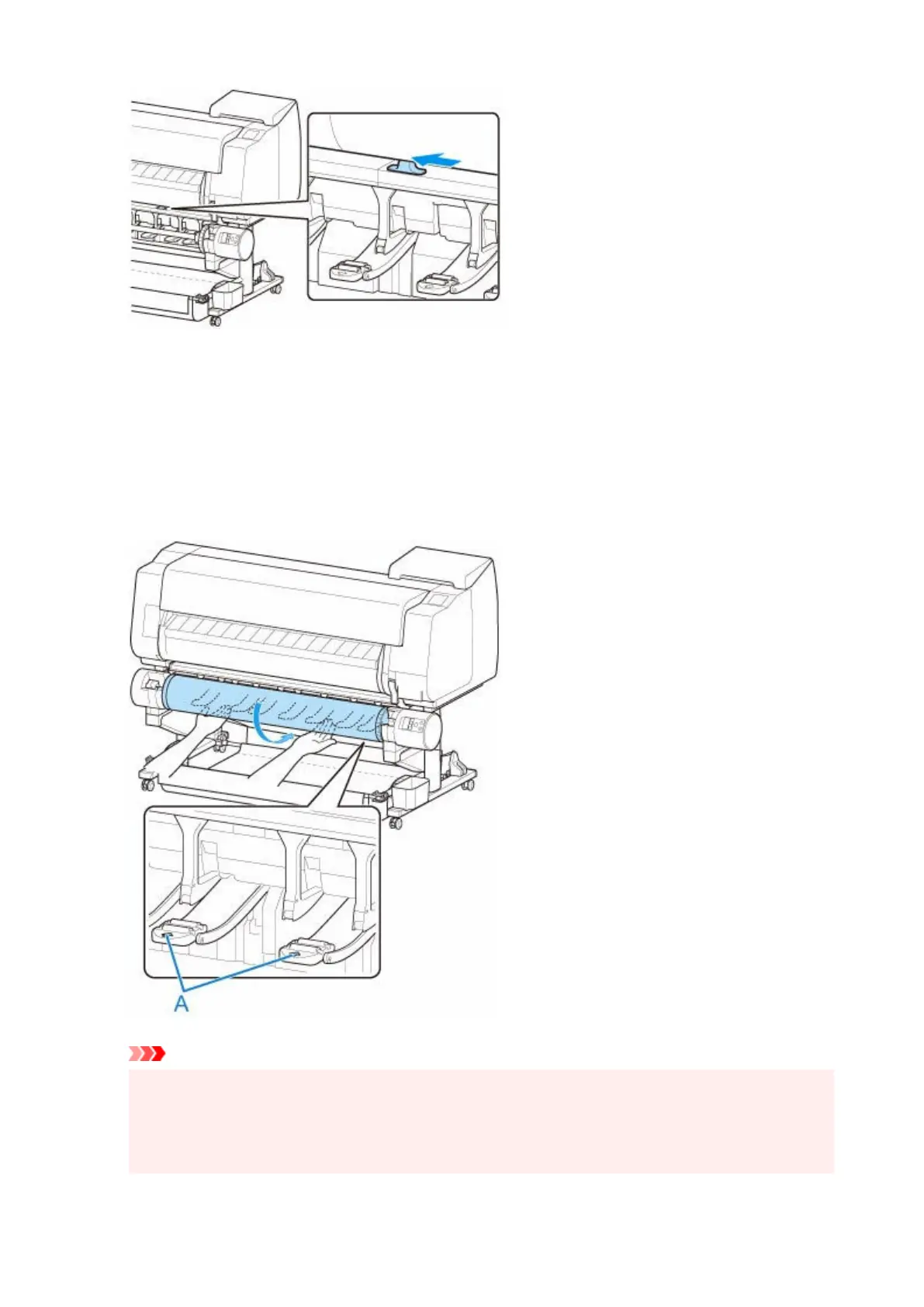
Pull out roll paper evenly, insert leading edge between roll paper and arrows (A) directly beneath it,
and feed roll paper until you hear a sound.
Tap Start feeding, and then the roll paper is fed.
Important
•
If the roll paper has become unwound, remove the slack before loading the roll paper.
•
•
When feeding the leading edge of the roll paper, make sure the entire width of the roll paper is
•
separating and feeding from the roll. If the roll paper is fed with some of the roll paper still stuck to
the roll, the roll paper will be damaged.
108












 To Next Page