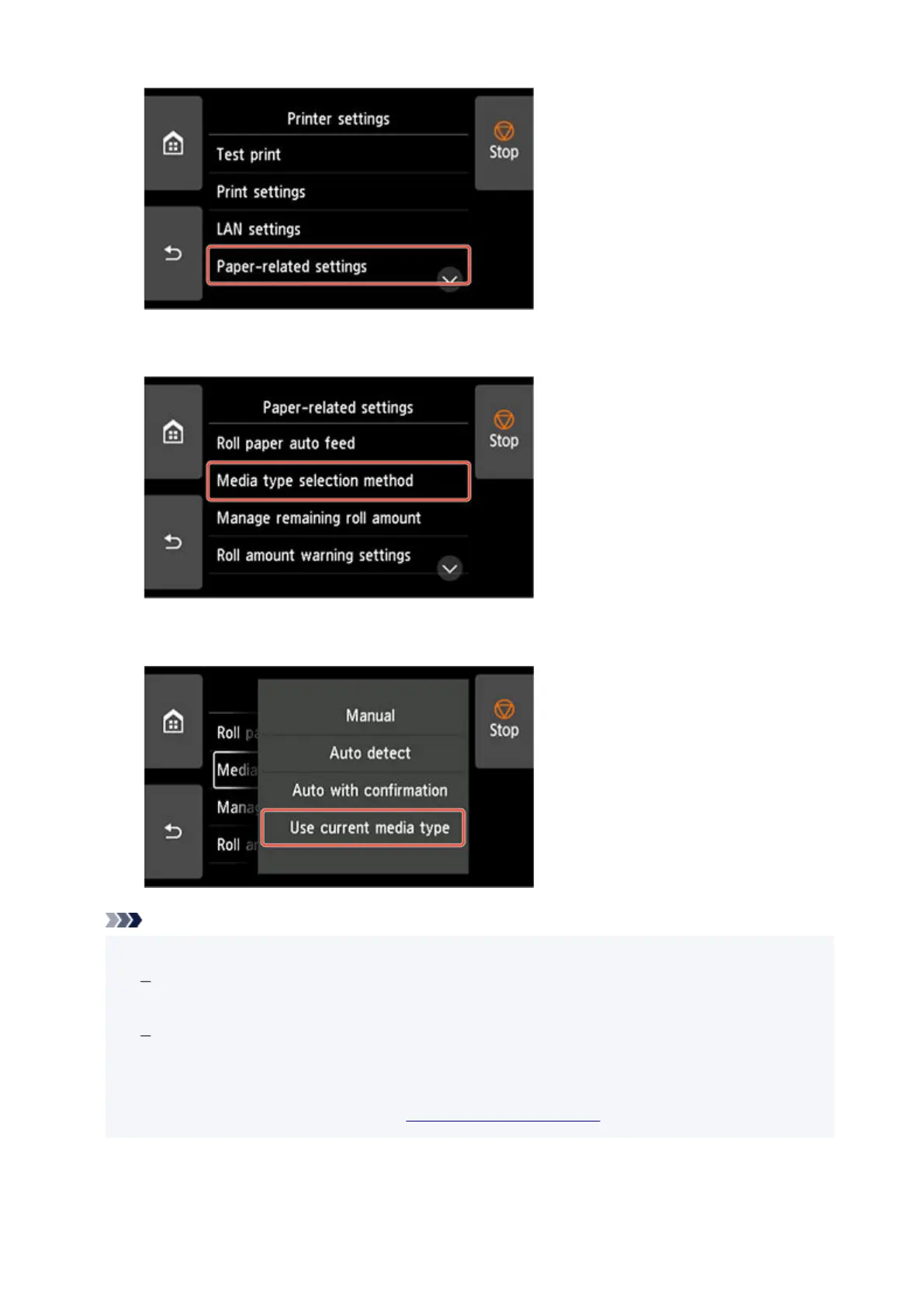
3.
Tap Media type selection method.
3.
4. Tap Use current media type.4.
Note
• The specified media type setting is updated in the following situations.•
When using sheets, if you send a print job before loading a sheet, the media type setting is
updated to match the type of paper specified by the print job.
If a barcode is printed on the roll paper and you have set Manage remaining roll amount to
Barcodes in the operation panel menu, the media type setting is updated to match the media
type specified by the barcode.
• To change the media type setting, see "Changing the Type of Paper."•
114












 To Next Page