Important
• When selecting Enable in Roll paper auto feed, the screen for checking the length of the roll•
paper is displayed for only 5 seconds.
Note
• The length of the roll paper to be displayed can be set in Roll length (change default).•
Setting the Length of the Roll Paper when Managing by the Barcode
•
If the length of the roll paper to be displayed is different from the length of the roll paper actually
•
used, set the actual length.
6.
Select the timing when the warning message appears.
6.
Setting the Length of the Roll Paper when Managing by the Barcode
When you select Barcodes in Manage remaining roll amount and if you feed roll paper on which no
barcode is printed, such as new roll paper, the screen to enter the roll paper length (remaining amount)
appears.
In this screen, the length (remaining amount) of default value appears. If the length is not correct, tap the
screen and enter a correct length.
When you want to change the length (remaining amount) of default value, follow the steps below.
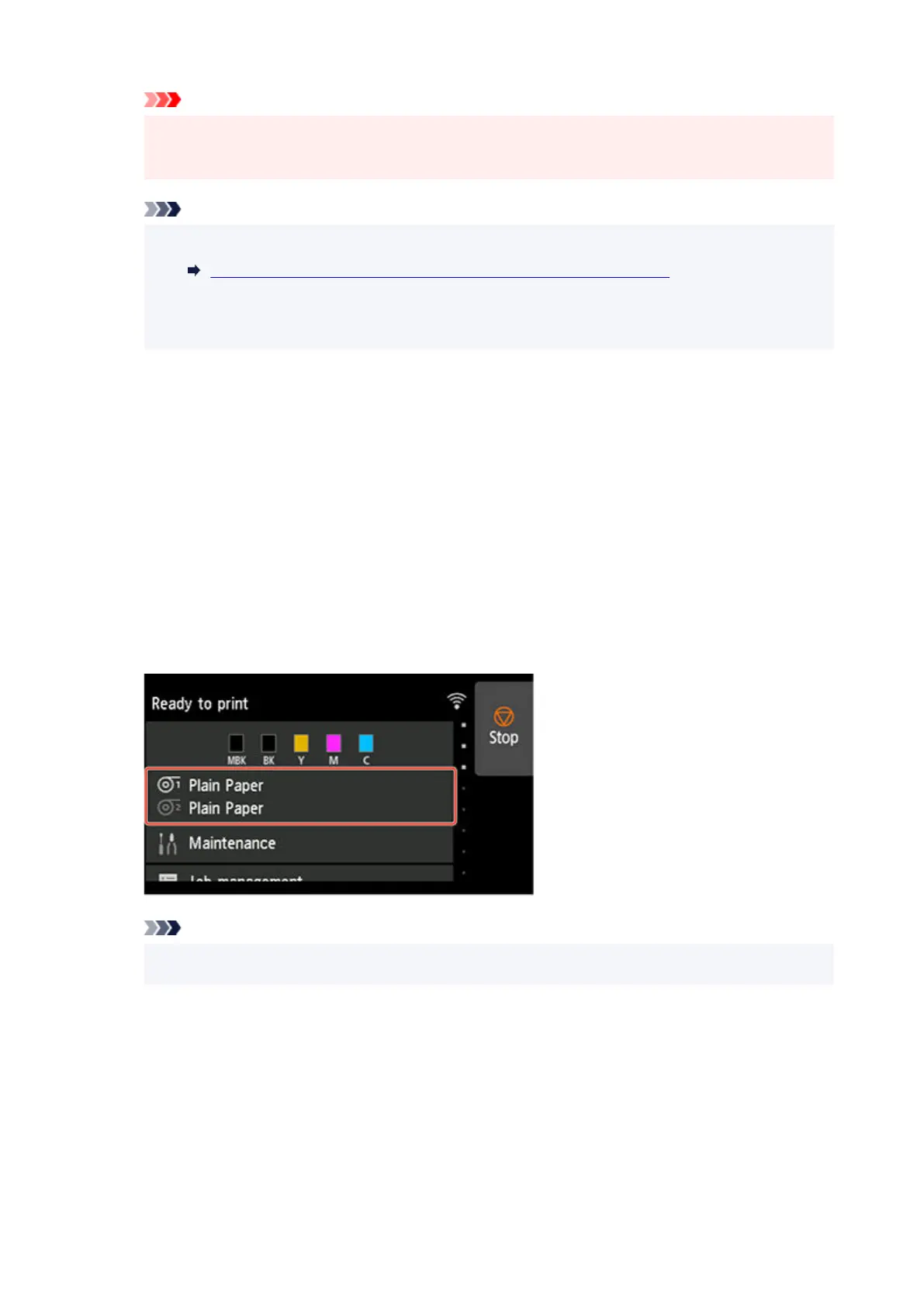
1. Tap paper settings display area on Home screen of touch screen.1.
Note
•
If the Home screen does not appear, tap the HOME button.
•
2.
Tap paper feed slot where roll paper for which you want to set the roll paper length is
2.
loaded.
3.
Tap Paper settings.
3.
4.
Tap Advanced.
4.
128












 To Next Page