Note
• If any paper has been advanced that will not be used, a message is shown requesting you to•
remove it.
Follow the instructions on the screen to remove the paper, and redo the operation.
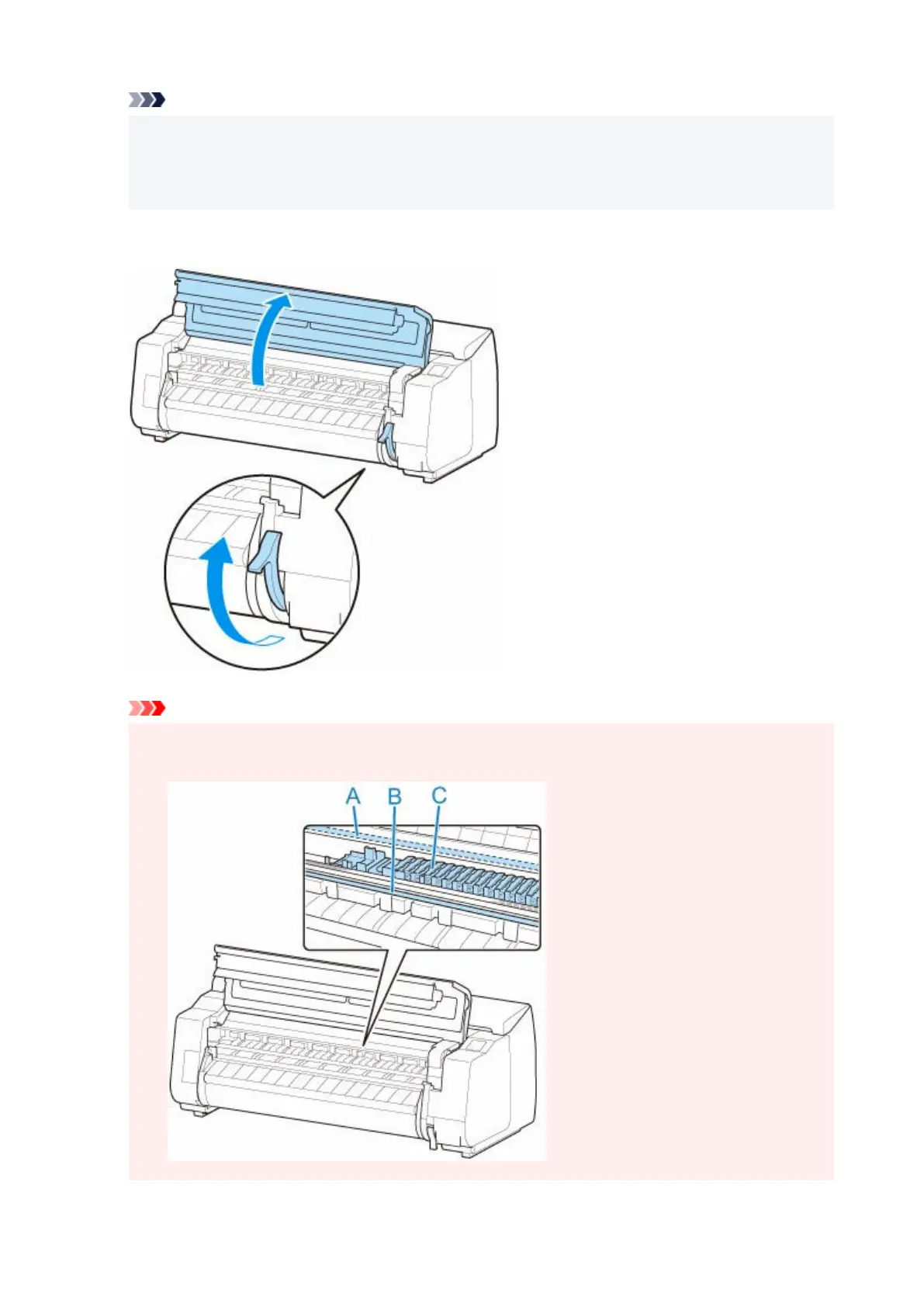
2. Open top cover and lift release lever.2.
Important
• Do not touch Linear Scale (A), carriage shaft (B), or Ink Tube Stabilizer (C). Touching these parts•
may damage them.
153












 To Next Page