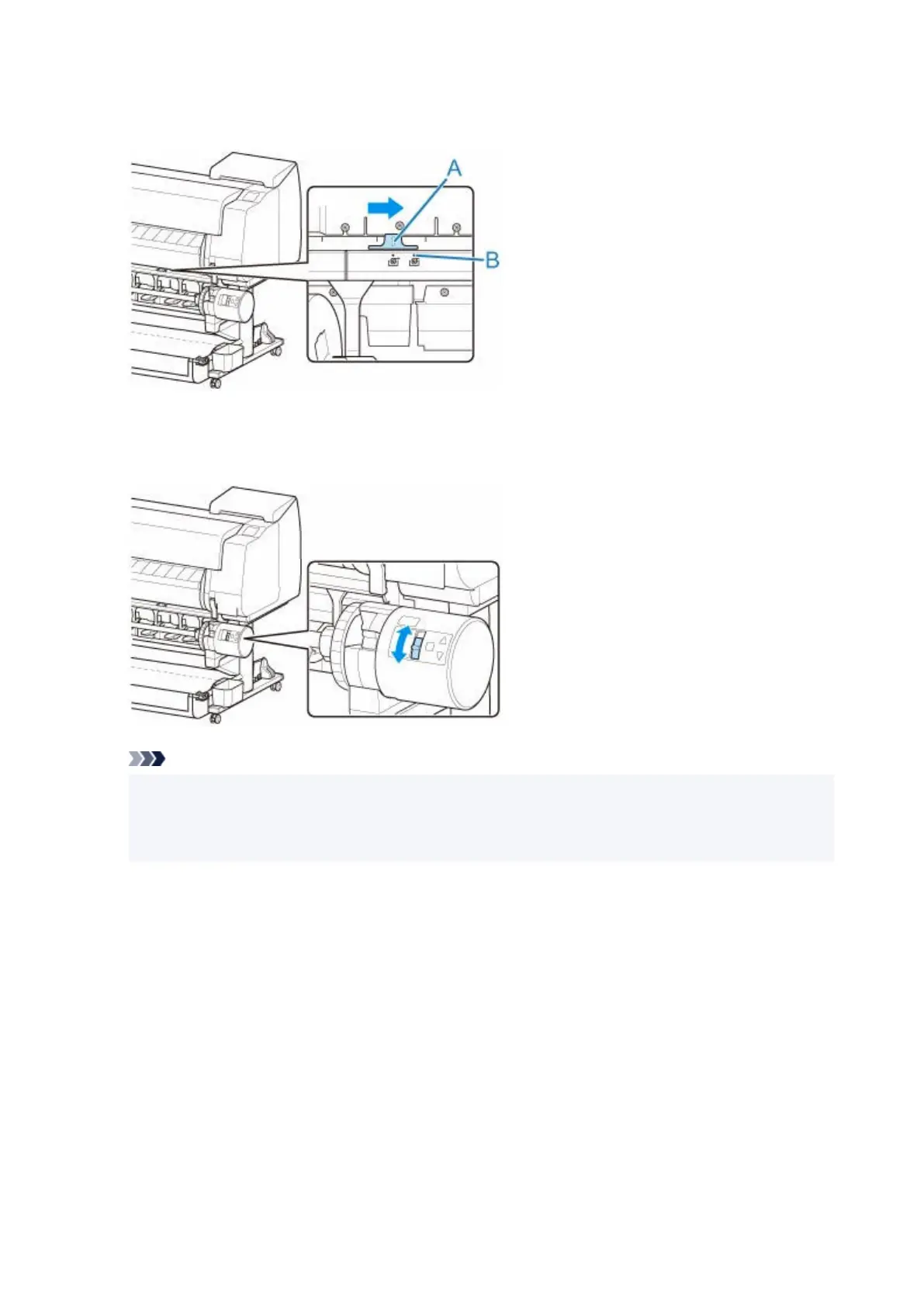
9. Change the feed flap switch on top of the roll unit so that the switch indicator (A) is aligned9.
with ● (B) position on the take-up icon.
10.
Change Inward/Outward Winding Changeover switch on roll unit to desired winding
10.
direction.
Note
• For the winding direction of the roll paper, you can select either outward winding to make the•
printed surface on the outside of the roll or inward winding to make the printed surface on the
inside of the roll.
11.
Follow these steps to secure the leading edge of the roll paper to the paper core with tape.
11.
•
If message appears on touch screen to confirm whether or not to advance paper
•
automatically so it can be secured with tape
1.
Tap Yes.
1.
The leading edge of the roll paper advances until it is close to the roll unit.
2.
Hold center of leading edge of roll paper, align right edge of take-up spool paper core's right
2.
edge and tape center to paper core while pulling on roll paper evenly.
◦
Outward Winding
◦
190












 To Next Page