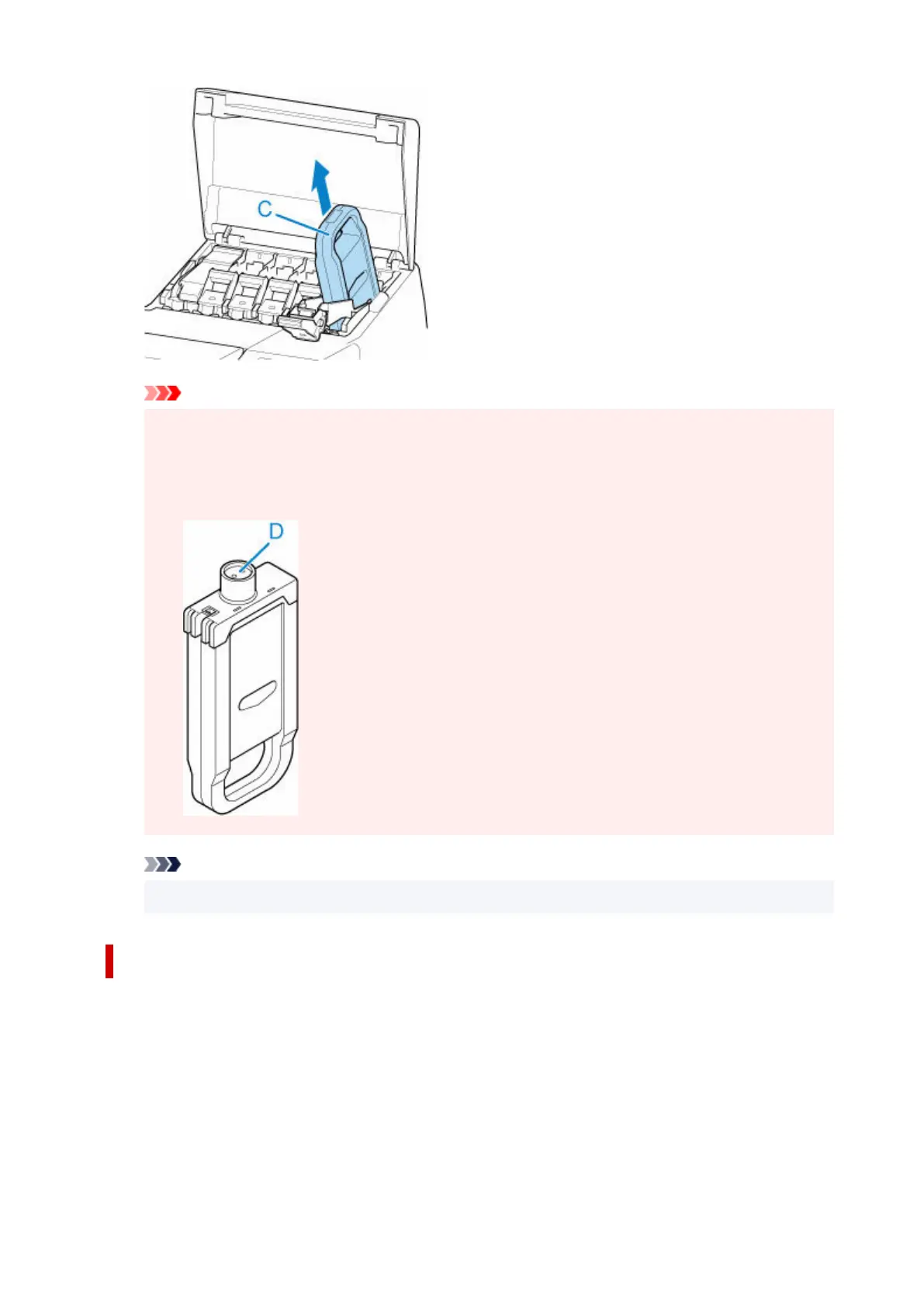
Important
•
Do not turn off the power of the printer with the ink tank removed except in the case of the
•
preparation for transportation. Otherwise, inside of the ink tank cover may be stained.
• Store the removed ink tank with ink remaining in the box with the ink holes (D) facing up.•
Otherwise, ink may leak and cause stains.
Note
•
Dispose of the used ink tank in accordance with local regulations.
Loading ink tank (5.4 fl oz (160 ml) / 11.2 fl oz (330 ml))
1.
Before opening the pouch, tilt the ink tank to the left and right gently seven or eight times.
1.
452












 To Next Page