Important
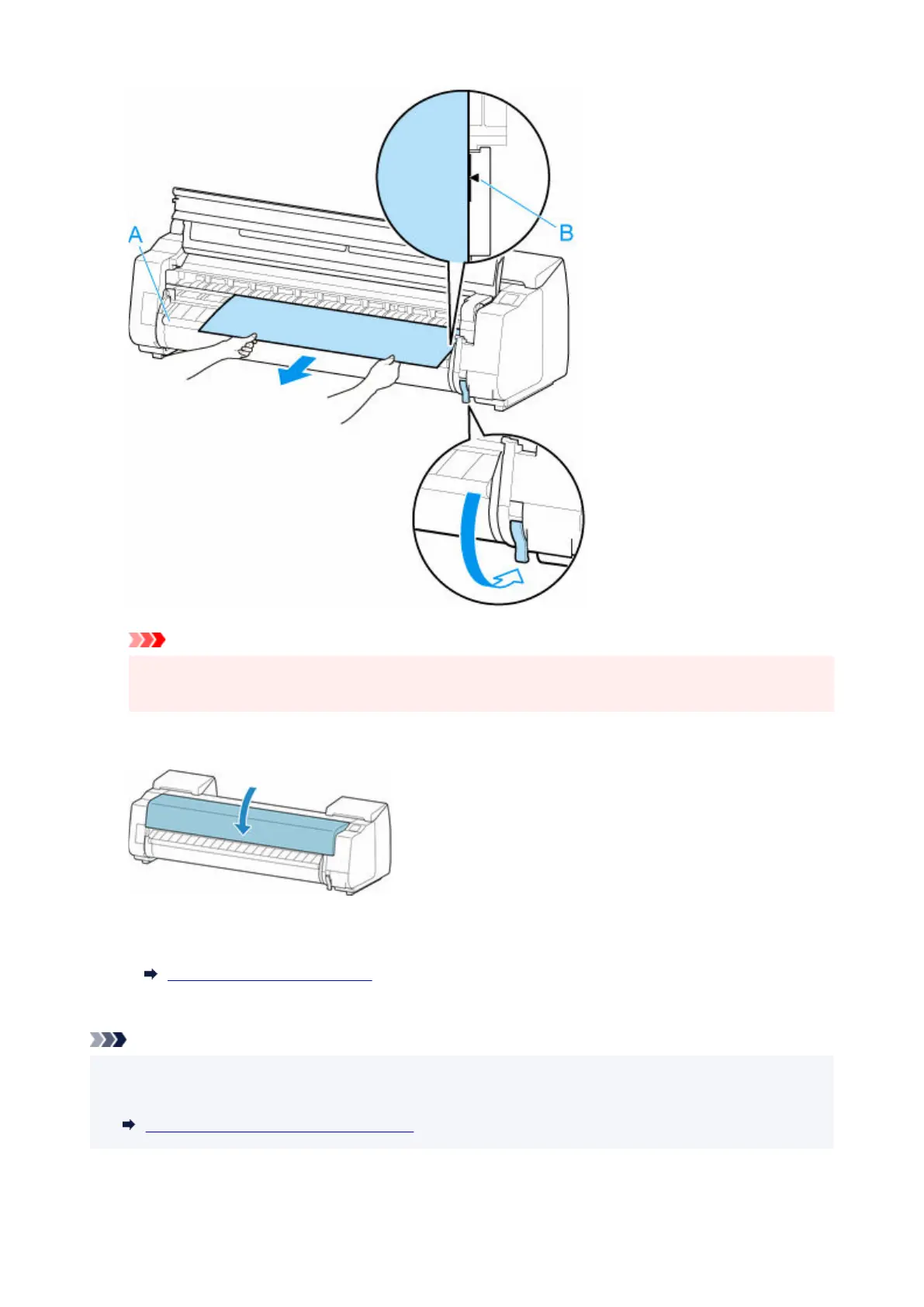
• Align the roll paper with the paper alignment line (B) and make sure to keep the paper tension.
• Do not pull the roll paper forcefully. This might cause the roll paper to feed at an angle.
8.
Close the top cover.
8.
9.
Turn on the power to the printer.
9.
Turning the Printer On and Off
The roll is advanced and the printer is ready to print.
Note
• To trim the leading edge cleanly, select the paper being fed on the touch screen, and then cut the•
leading edge by selecting Cut paper in Feed/cut.
Specifying the Cutting Method for Rolls
753












 To Next Page