CAPINTEC, INC. CAPRAC
®
-t
April 2021 WELL COUNTER INITIALIZATION 6-45
Selecting Wipe Type
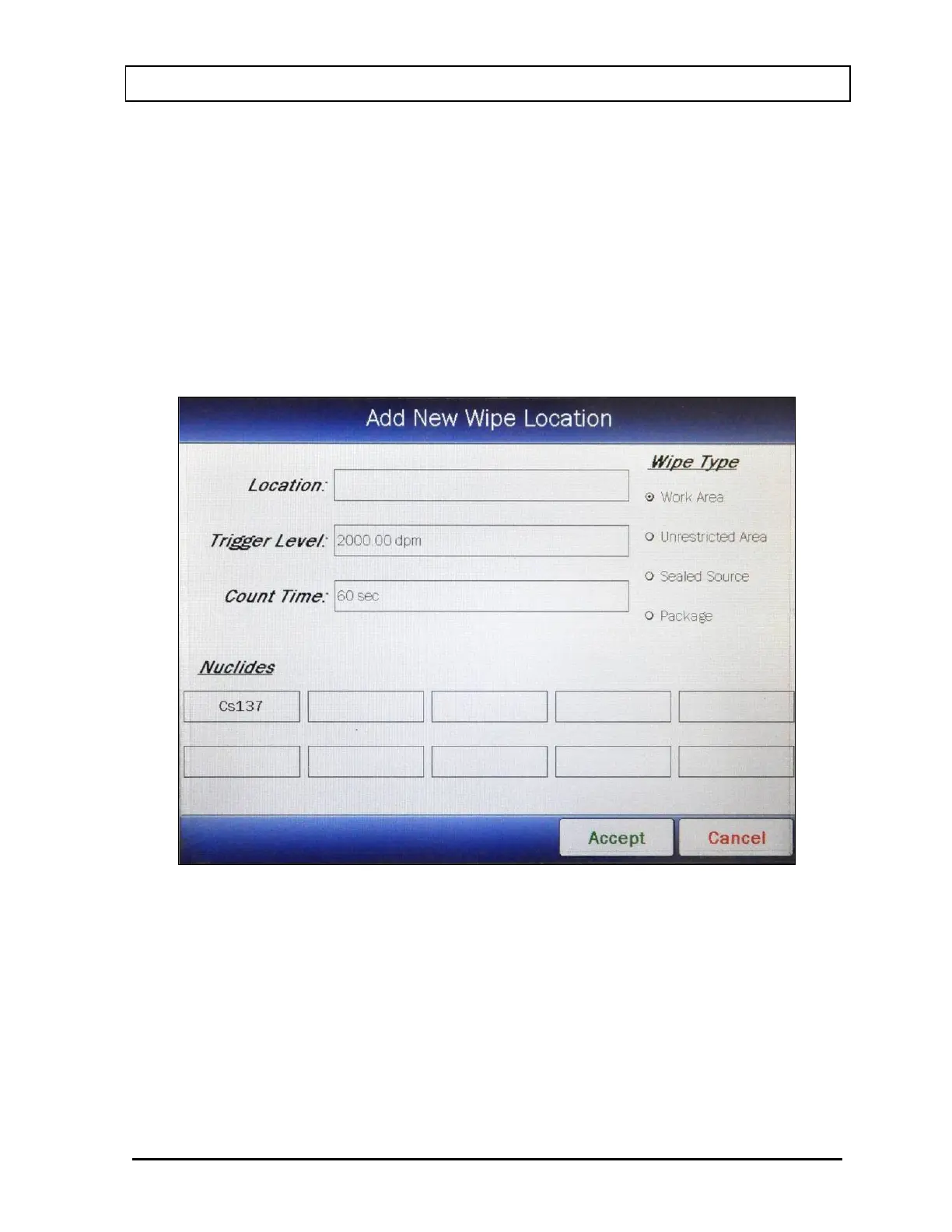
A Wipe Type must be selected for each location. Touch the radio button next to the
desired Wipe Type. Figure 6-36 Add New Wipe Location with Wipe Type Selected
Screen will appear.
The selected Wipe Type default values (Trigger Level, Count Time and Nuclides (if
any)) will be automatically entered into the location. The default values may be used
or the values may be customized for each location.
In the example, Work Area was selected. The Work Area default values for the
Trigger Level, Count Time and Nuclides to look for are 2000 dpm, 60 seconds and
Cs137.
Figure 6-36 Add New Wipe Location with Wipe Type Selected Screen



 To Next Page