10.1.2 BA ROLLANT 240 - 250 - 254 - 255 - 000 299 119 5
Control Terminal
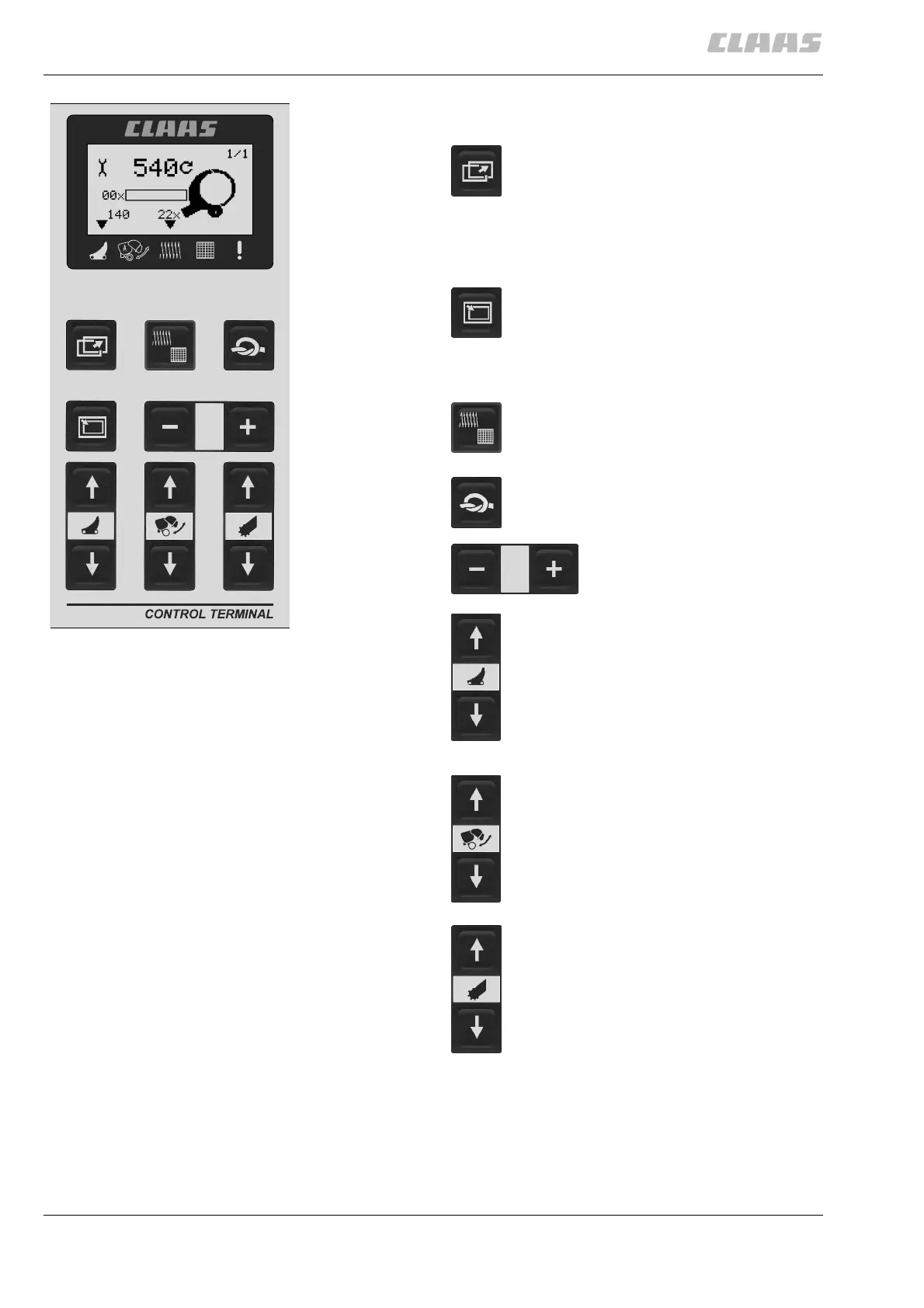
Control terminal - overview
(Fig. 1)
200400
1
Hauptgruppe blättern
1. Scroll through main menu
2. Job data
3. Settings
4. Counter
Scroll through submenu
Example: Use this key to switch between
“Net wrapping target value” and “Twine
wrapping target value” in the “Settings”
main menu.
Select type of wrapping (Twine wrapping /
Net wrapping)
Start wrapping cycle manually (press
briefly) or delay automatic wrapping (press
and hold)
Settings: Reset number of
wraps, counter and maintenance
intervals.
Engage knives (press briefly)
Disengage knives (press briefly)
Press both keys simultaneously (briefly)
to activate the rotor reverse facility.
Open tailgate
Close tailgate
Raise pick-up
Lower pick-up



 To Next Page