11.6.2 BA ROLLANT 240 - 250 - 254 - 255 - 000 299 119 5
CLAAS COMMUNICATOR - operation
Activate cutting unit
Note!
The baler must be switched on to activate the
blades.
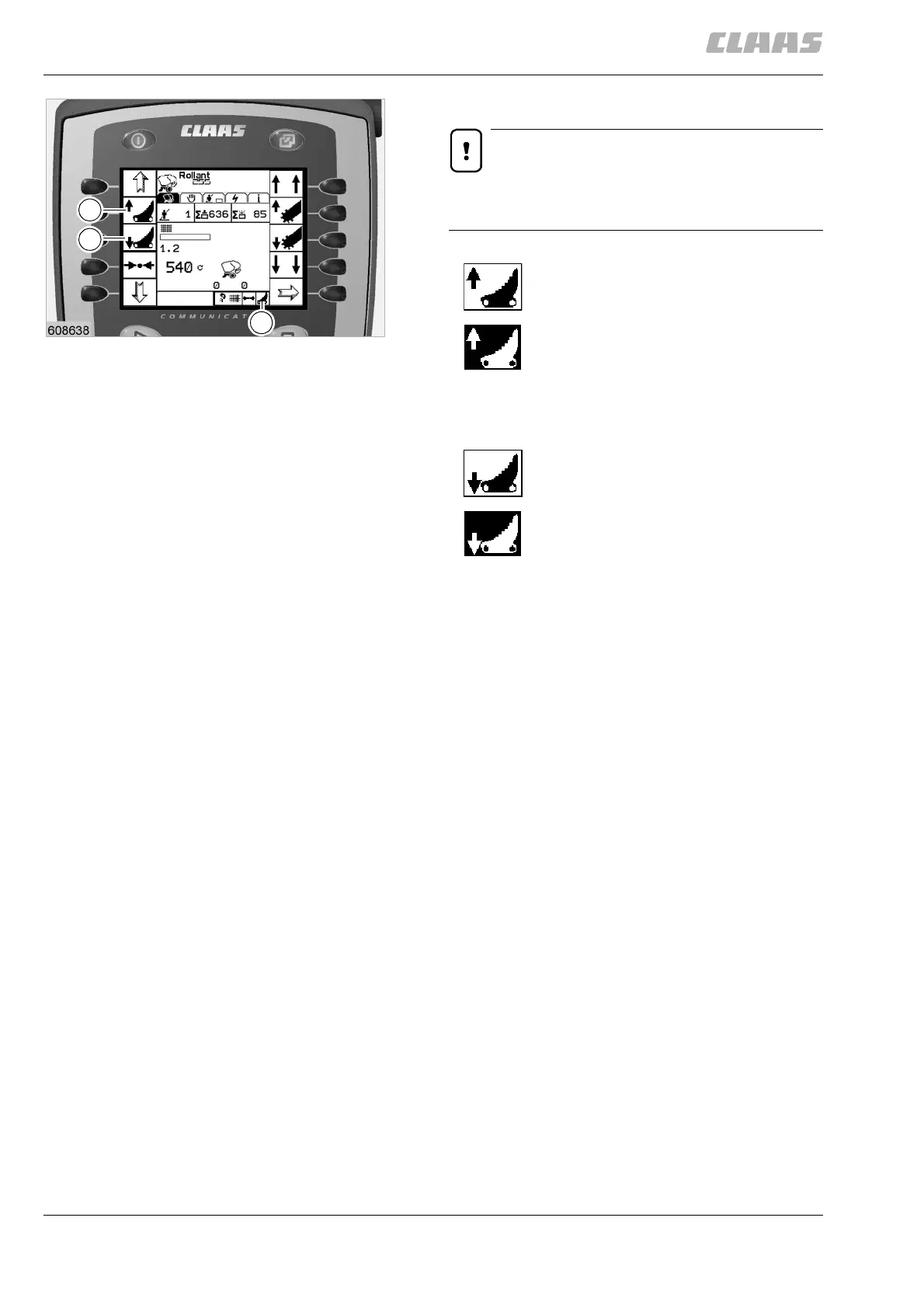
Press key (F) to activate the cutting unit.
The symbol appears against a black
background when the function is
activated and the blades are in working
position.
Press key (G) to deactivate the cutting
unit.
The symbol appears against a black
background when the function is
activated and the blades are in resting
position.
(Fig. 3)
The status of the cutting unit is also displayed by the
symbol (H).
– The symbol (H) appears against a black
background: Cutting unit active.
– The symbol (H) appears against a white
background: Cutting unit inactive.
(Fig. 3)
F
G
H
3


 To Next Page
 Loading...