11.3.2 BA ROLLANT 240 - 250 - 254 - 255 - 000 299 119 5
CLAAS COMMUNICATOR
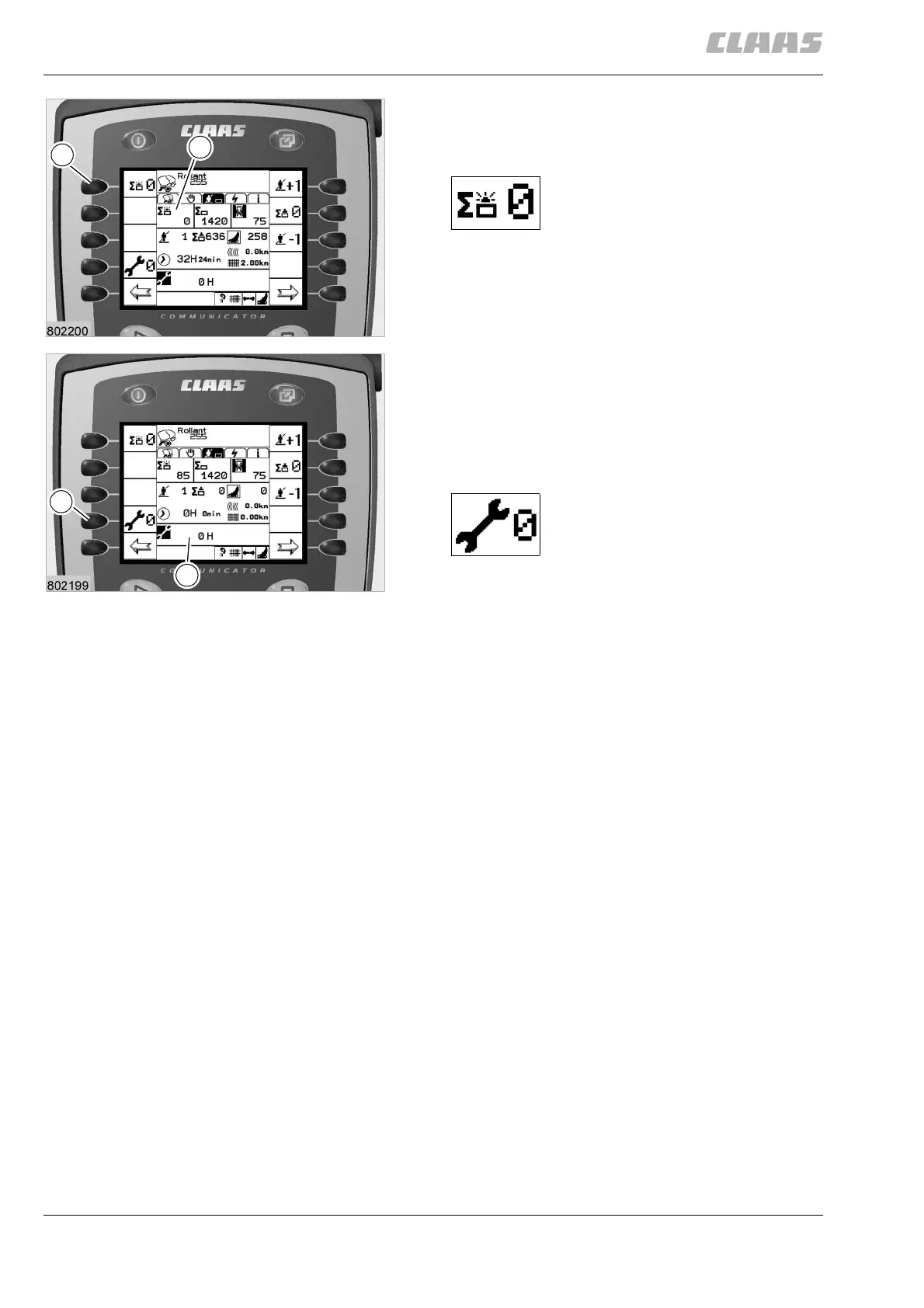
Resetting the daily counter
To reset a daily counter, select the respective job as
explained in the process on the previous page.
By pressing key (M), all values in
window (N) are reset.
(Fig. 11)
Resetting the service display
The maintenance display shows when a maintenance
interval has expired: after 5 h, 10 h, 50 h, 100 h or
250 h.
For further information please refer to chapter 14
»Maintenance«.
After the maintenance has been
carried out, reset the
maintenance display (P) to 0 by
pressing key (Q).
(Fig. 12)
M
N
11
Q
P
12



 To Next Page