T- 3 4
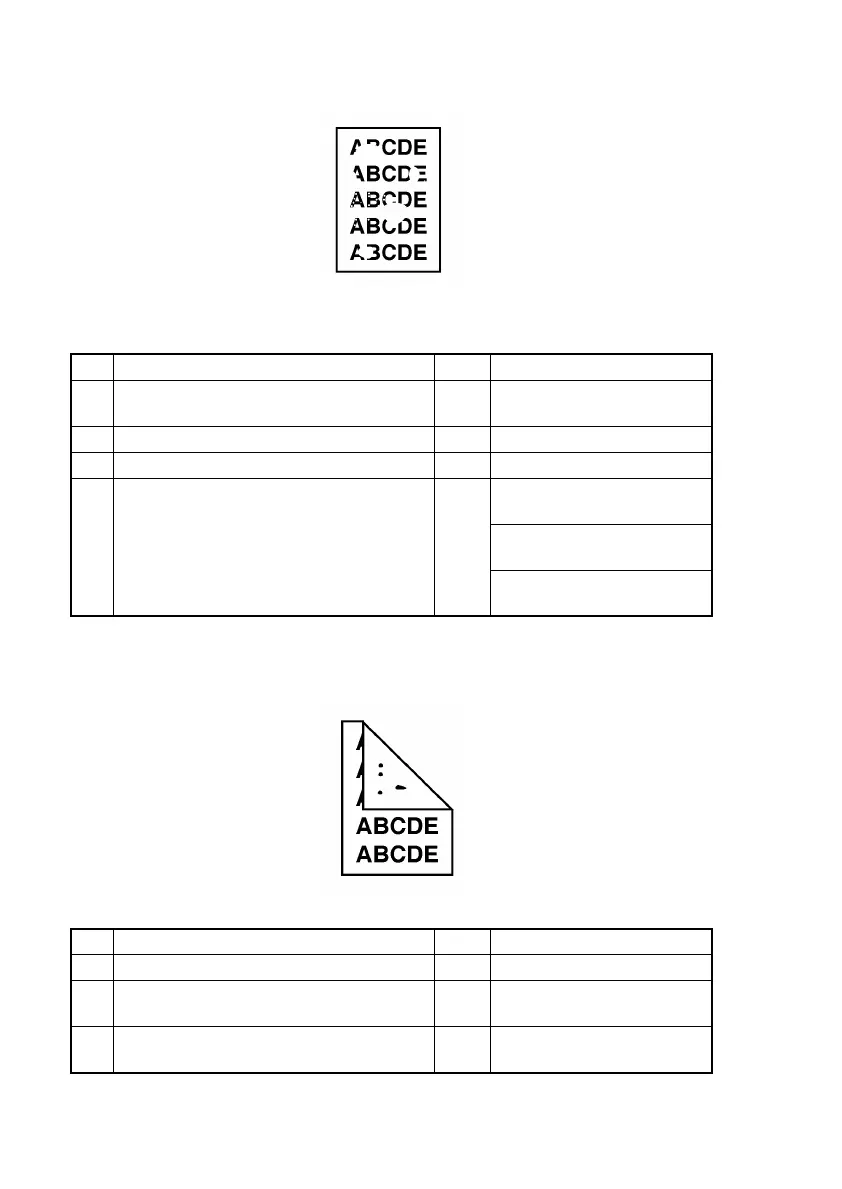
(9) Printer system: Blank spots
<Typical Faulty Image>
<Troubleshooting Procedures>
(10) Printer system: Smears on back
<Typical Faulty Image>
<Troubleshooting Procedures>
Step Check Result Action
1 Is paper damp? YES Replace paper for one just
unwrapped.
2 Is the PC Drum scratchy? YES Replace Drum Cartridge.
3 Is there foreign matter on paper path? YES Remove foreign matter.
4 Is Image Transfer Roller dirty or scratchy?
(3)
YES Replace Image Transfer
Roller.
Replace High Voltage Unit
(HV1).
Replace Controller/Mechani-
cal Control Board (PWB-P).
Step Check Result Action
1 Is there foreign matter on paper path? YES Remove foreign matter.
2 Is Fusing Roller dirty or scratchy? YES Replace Fusing Unit (Fusing
Roller).
3 Is Image Transfer Roller dirty or scratchy? YES Replace Image Transfer
Roller.
4011T008AA
4011T009AA












 To Next Page