D-19
(4) Removal of the Scanner Assy.
1. Remove the Original Cover.
2. Remove the Upper Cover Assy. (Original Glass).
☞ D-18
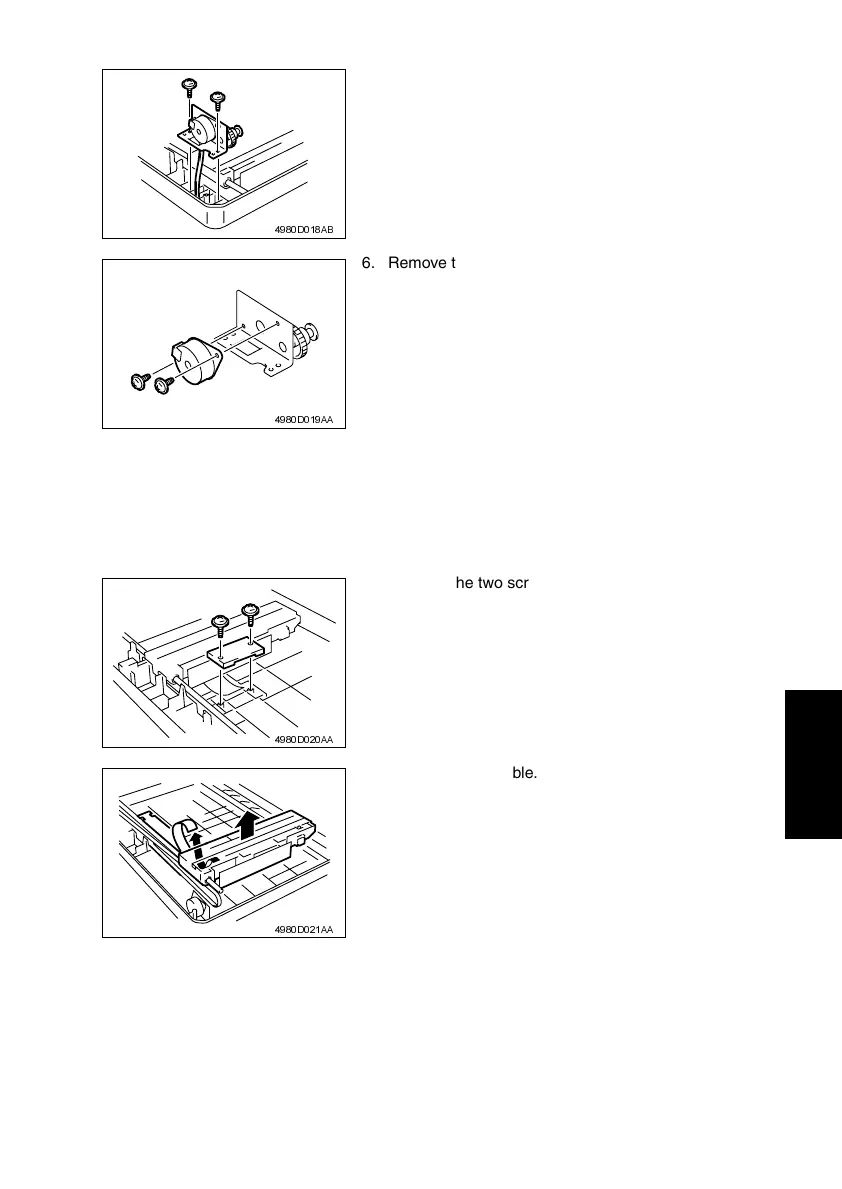
5. Remove the two screws, and then remove the
Scanner Motor Mounting Bracket.
4980D018AB
6. Remove the two screws, and then remove the
Scanner Motor.
4980D019AA
3. Remove the two screws, and then remove the
Flat Cable Holding Plate.
4980D020AA
4. Unplug the flat cable.
4980D021AA












 To Next Page