E-3
2. REPLACEMENT/CLEANING OF PARTS
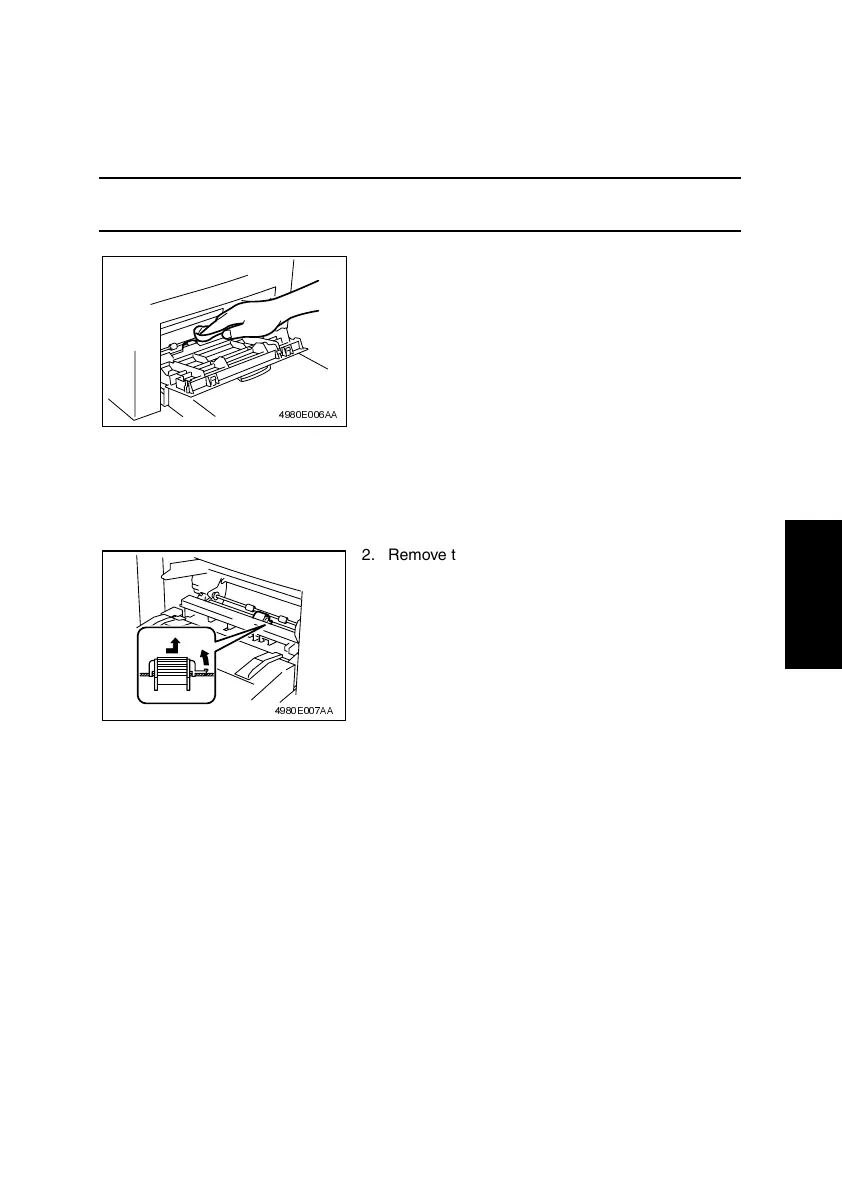
(1) Cleaning of the Paper Take-Up Roll
1. Remove the Imaging Cartridge.
☞ E-5
NOTE
• The Imaging Cartridge is the Drum Cartridge, to which the Toner Cartridge is mounted.
(2) Replacement of the Paper Take-Up Roll
1. Remove the Imaging Cartridge.
☞ E-5
2. Using a soft cloth, wipe the surface of the Paper
Take-Up Roll clean of dirt.
4980E006AA
2. Remove the Paper Take-Up Roll.
4980E007AA












 To Next Page