D-12
(4) Removal of the Power Unit
1. Remove the Right Cover.
☞ D-7
2. Remove the Left Cover.
☞ D-7
3. Remove the Rear Cover.
☞ D-7
5. Remove the IR Unit.
☞ D-15
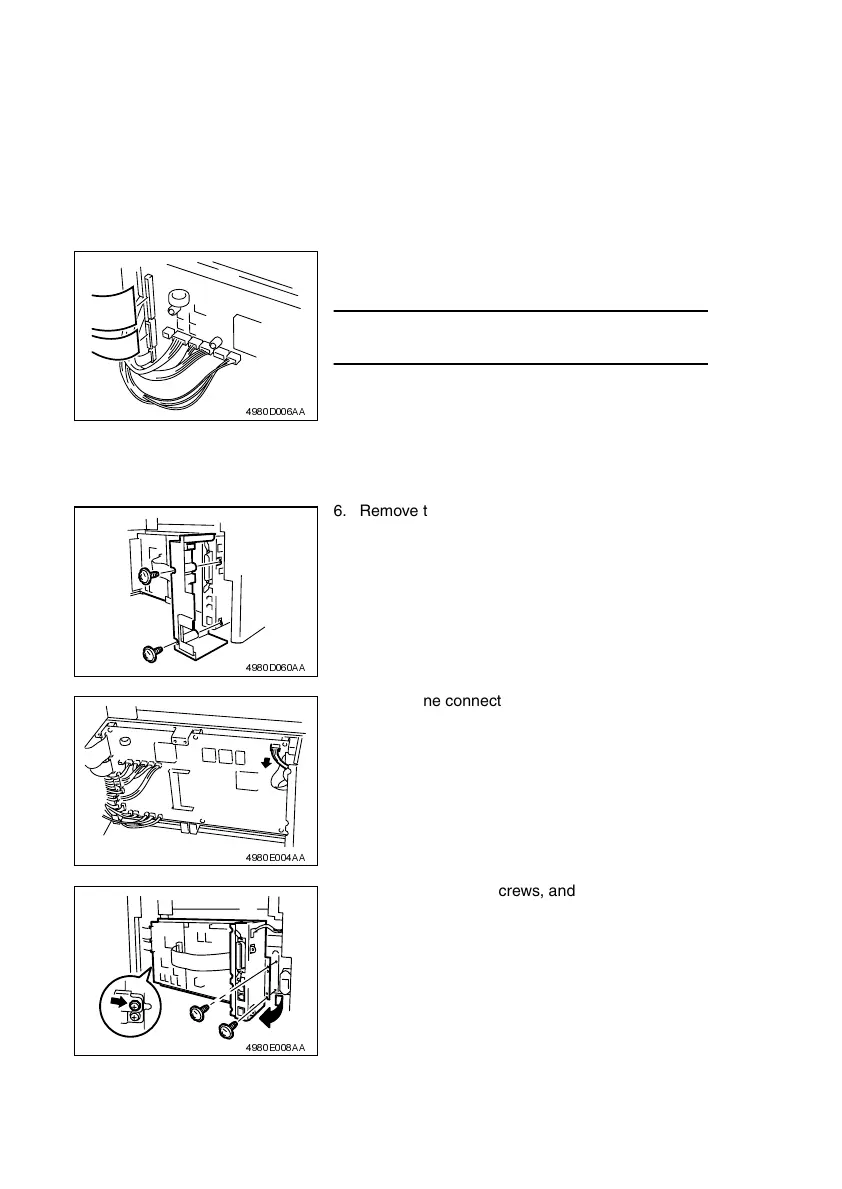
4. Unplug the two flat cables from the Controller/
Mechanical Control Board.
NOTE
• Use utmost care not to snap off the flat cable.
4980D006AA
6. Remove the two screws, and then remove the
Left Rear Cover.
4980D060AA
7. Unplug one connector on the Controller/Mechani-
cal Control Board.
4980E004AA
8. Remove the three screws, and then remove the
Circuit Board and Metal Bracket.
4980E008AA












 To Next Page