D-45
5-4. Remedy for a Failed Updating of the Firmware
1. Turn off the printer.
2. Remove the USB cable connecting the printer to the host computer.
3. Remove the Rear Cover.
☞ D-7
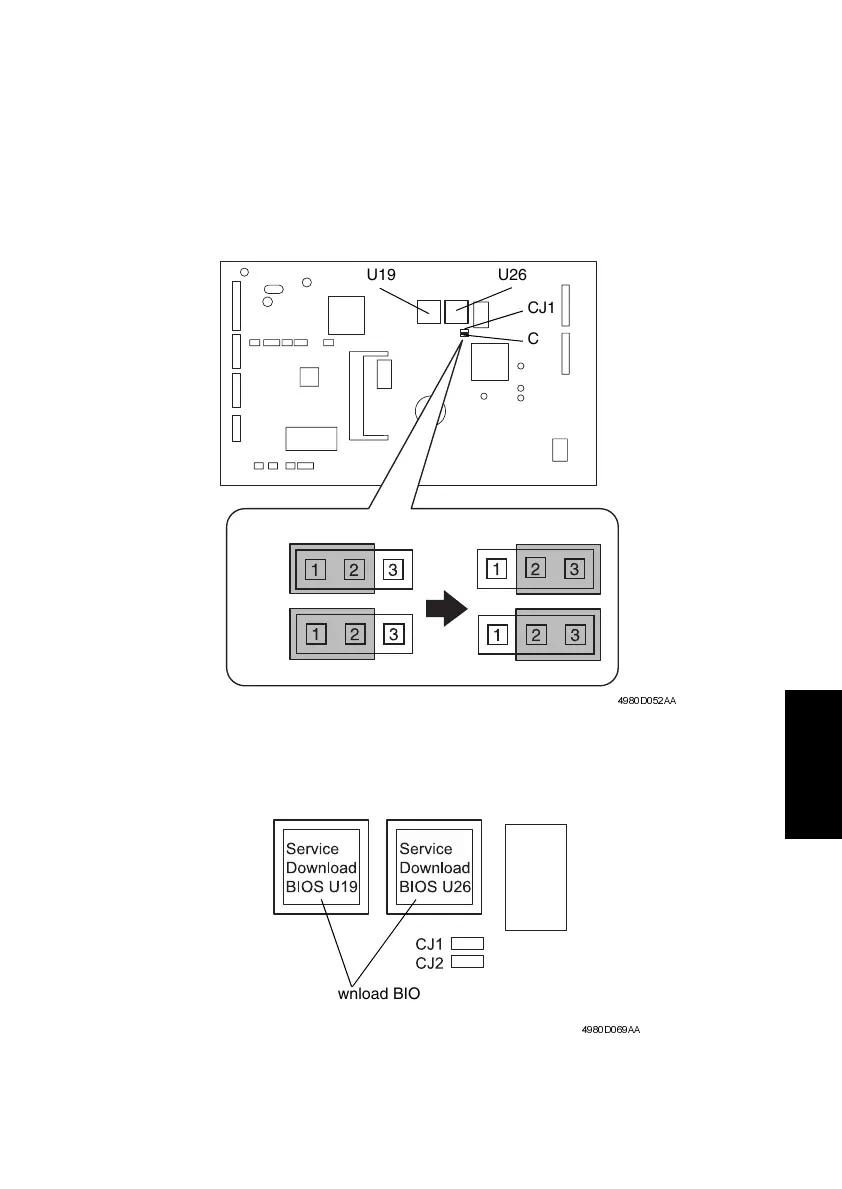
4. Change the settings for jumper switches CJ1 and CJ2 on the Controller/Mechanical
Control Board from “1-2” to “2-3”.
5. Attach Service Download BIOS U19 and U26 to memory sockets U19 and U26 on the
Controller/Mechanical Control Board.
6. Use a USB cable to connect the printer to the host computer.
7. Start up the host computer.
4980D052AA
U19 U26
CJ1
CJ2
CJ1
CJ2
4980D069AA
Service Download BIOS U19 and U26
(Parts No. : 4980-1157-xx)












 To Next Page