D-23
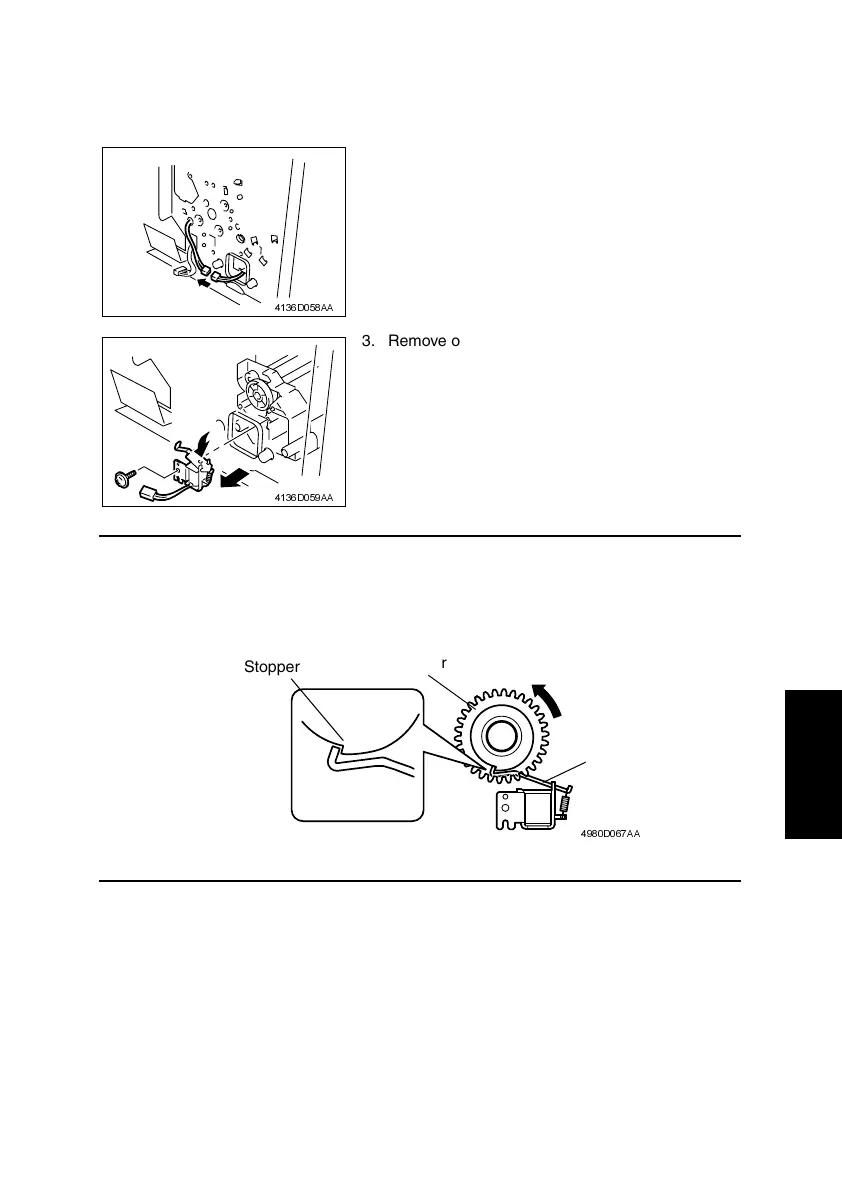
(3) Removal of the Paper Take-Up Solenoid
1. Remove the Left Cover.
☞ E-8
Precautions for Installation of the Paper Take-Up Solenoid
1. Mount the Paper Take-Up Solenoid and tighten one screw.
2. Turn the gear in the direction of the arrow shown below so that the flapper of the Paper
Take-Up Solenoid catches the stopper of the gear.
2. Disconnect one connector of the Paper Take-Up
Solenoid.
4136D058AA
3. Remove one screw and the Paper Take-Up Sole-
noid.
4136D059AA
Flapper
Gear
4980D067AA
Stopper












 To Next Page