D-21
3-5. Disassembly of the Main Drive Section
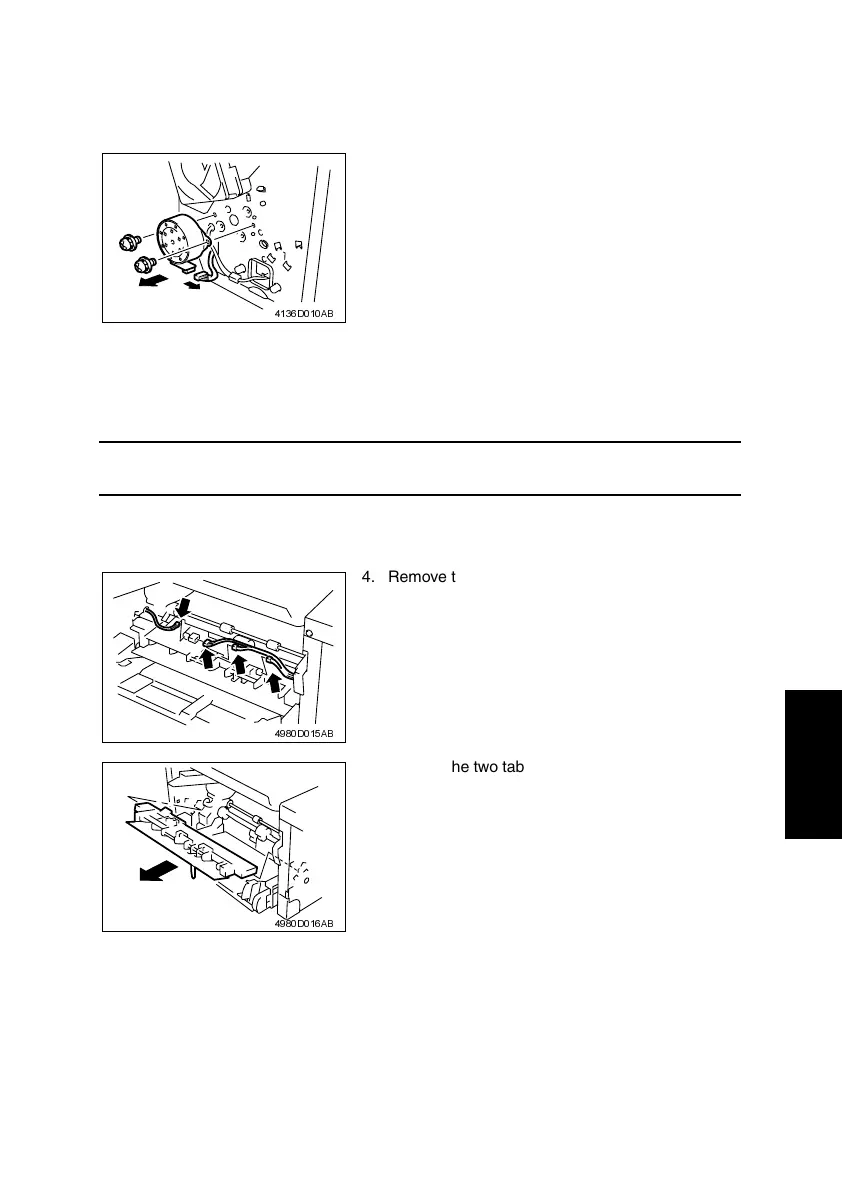
(1) Removal of the Main Motor
1. Remove the Left Cover.
(2) Removal of the Paper Empty Sensors
1. Remove the Imaging Cartridge.
2. Remove the Front Door.
NOTE
• The Imaging Cartridge is the Drum Cartridge, to which the Toner Cartridge is mounted.
3. Remove the Left and Right Covers.
☞ D-7
2. Disconnect one connector.
3. Remove two screws, two washers, and the Main
Motor.
4136D010AB
4. Remove the four connectors from the Paper
Take-Up Upper Guide Assy.
4980D015AB
5. Unhook the two tabs, and then remove the Paper
Take-Up Upper Guide Assy.
4980D016AB












 To Next Page