E-7
(2) Replacement of the Drum Cartridge
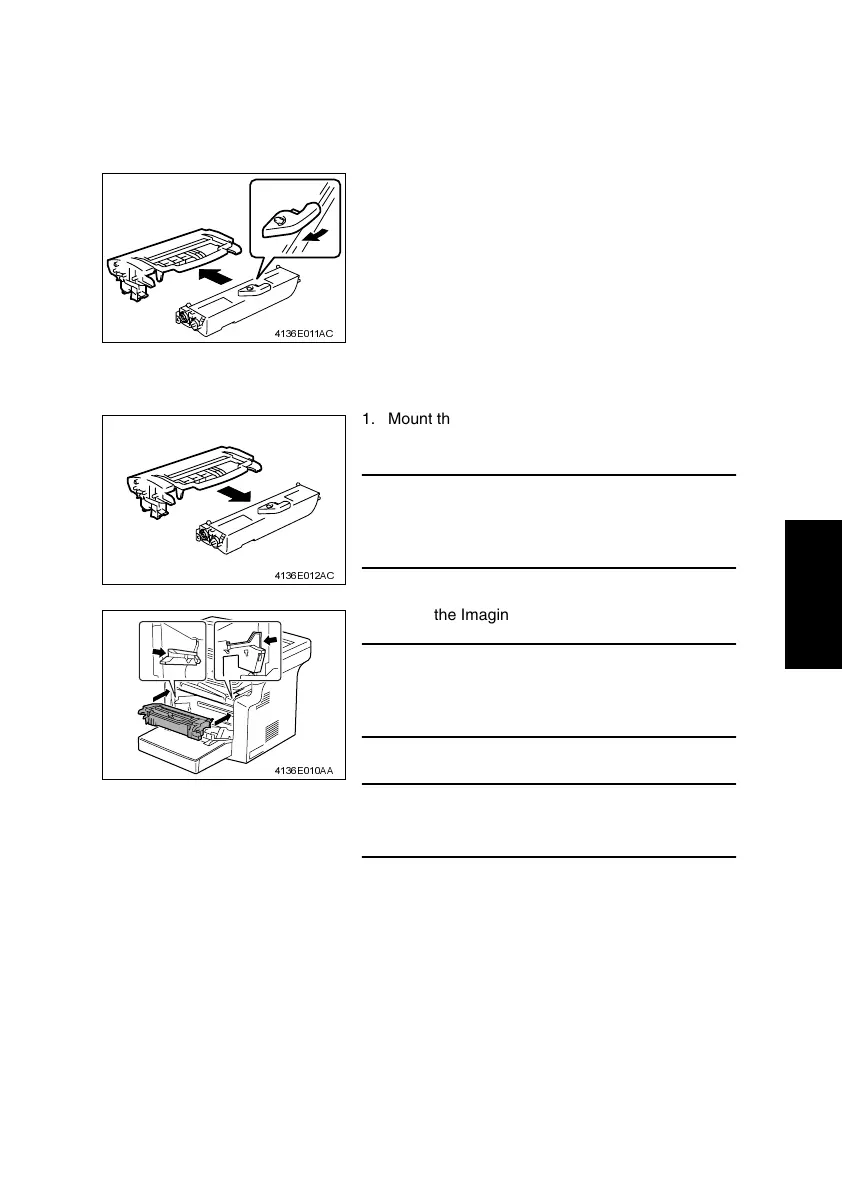
<Removal Procedures>
1. Remove the Imaging Cartridge.
☞ E-5
<Installation Procedures>
2. Pull the lever of the Toner Cartridge in the direc-
tion shown in the illustration and disconnect the
Drum Cartridge.
4136E011AC
1. Mount the Toner Cartridge to a new Drum Car-
tridge.
NOTE
• Insert the Toner Cartridge along the guide provided
on the new Drum Cartridge side and make sure
that the Toner Cartridge is not tilted when inserted.
4136E012AC
2. Install the Imaging Cartridge in the printer.
NOTE
• Insert the Imaging Cartridge along the guide pro-
vided on the printer side. Ensure that the Imaging
Cartridge is not slid obliquely.
3. Close the Front Door.
NOTE
• After replacing the Drum Cartridge, be sure to
reset the I/C counter in the Service Mode.
4136E010AA












 To Next Page