D-10
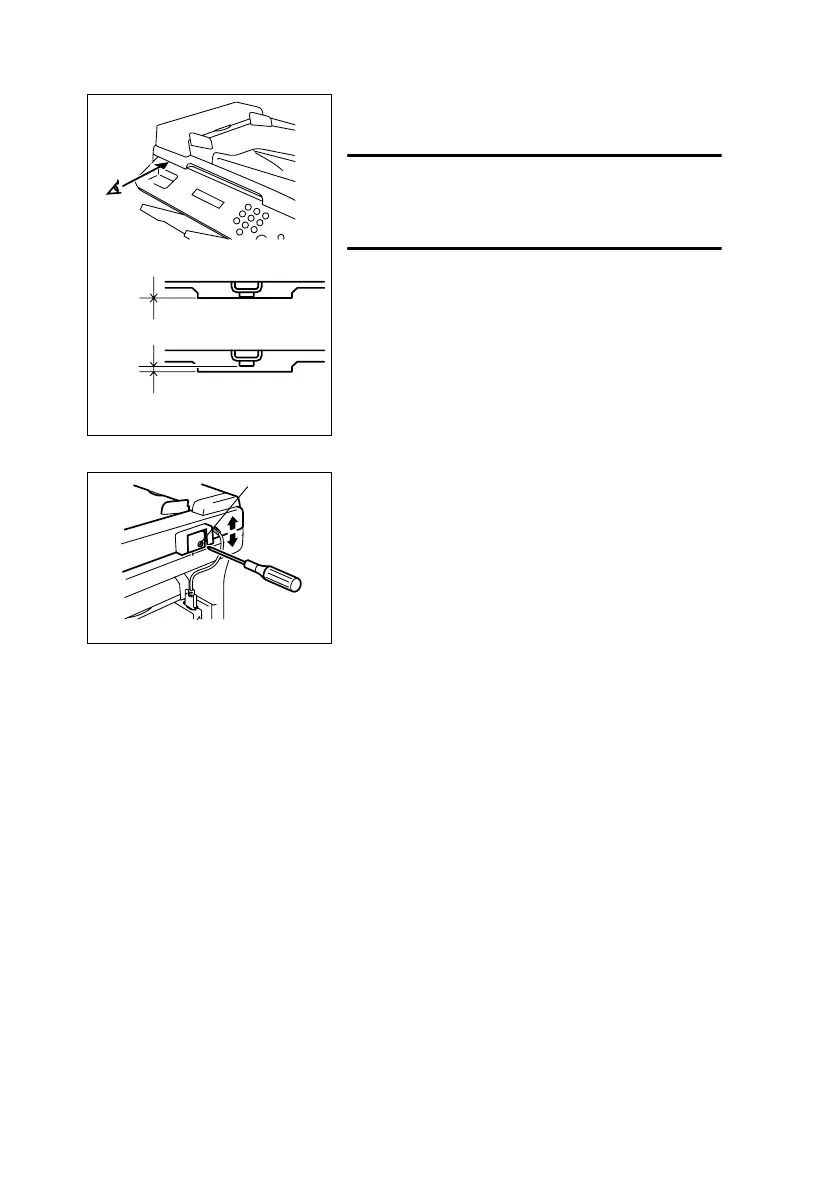
(4) Height Adjustment
1. Check the gap between the Original Glass and
the spacer on the Automatic Document Feeder.
NOTE
• Be sure to open, then close the Automatic Docu-
ment Feeder, and then check during pre-lighting of
the scanner.
2. If there is a gap, perform the adjustment
described in step 3.
1382U024AA
1382U025AB
OK
NG
3. Turn the adjusting screw in the hinge of the Auto-
matic Document Feeder until the spacer contacts
the Original Glass.
Screw rotation direction
Clockwise: Raises the Automatic Document Feeder.
Counterclockwise: Lowers the Automatic Document
Feeder.
1382U026AA
Adjusting
screw












 To Next Page