D-5
3-3. Disassembly
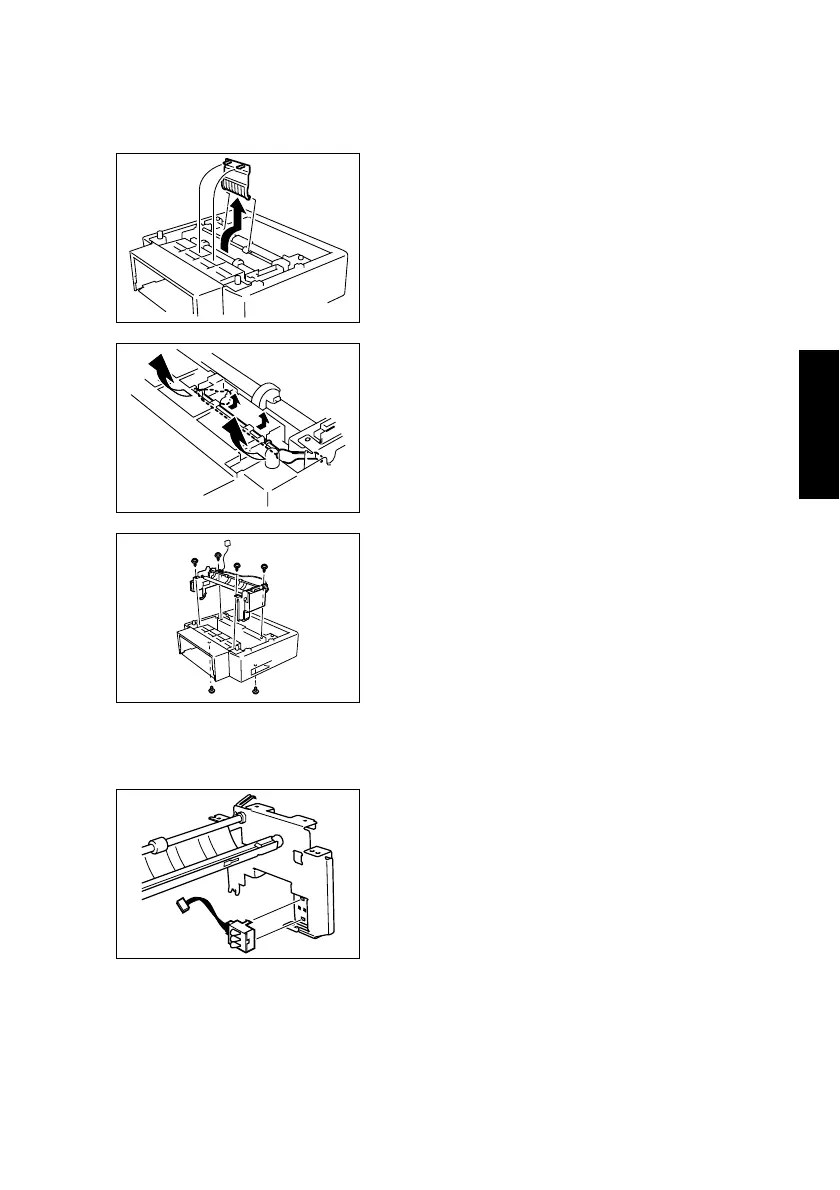
(1) Removal of the Paper Feed Cassette Paper Take-Up Unit
1. Raise the main unit to separate it from the Paper Feed Cassette.
(2) Removal of the Paper Size Detecting Switch
1. Remove the Paper Feed Cassette Paper Take-Up Unit.
2. Unhook the two tabs, and then remove the cover.
4516D003AB
3. Remove the actuator.
4136D035AA
4. Remove the six screws, unplug the two connec-
tors, and then remove the Paper Feed Cassette
Paper Take-Up Unit.
4516D004AA
2. Unplug the connector, and then remove the
Paper Size Detecting Switch.
4136D037AA












 To Next Page